
All Games
DRAGON BALL XENOVERSE 2 System Requirements
October 26, 2016Dimps
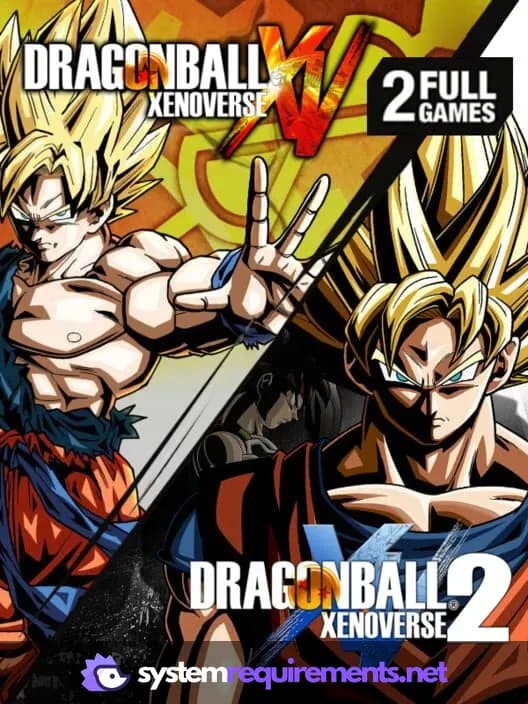
Experience the complete time-bending saga: DRAGON BALL XENOVERSE 2 delivers both the original XENOVERSE and its action-packed sequel. Delve into the Dragon Ball universe and shape your destiny across two distinct timelines.
DRAGON BALL XENOVERSE 2 Minimum & Recommended Specs
Minimum: AMD Phenom II, GeForce GT 650, 2 GB RAM. Recommended: 4 GB RAM RAM.
Minimum System Requirements
Recommended System Requirements
Quick Performance Tips for DRAGON BALL XENOVERSE 2
#1
Lower shadow quality for a big FPS boost.
#2
Disable anti-aliasing on low-end PCs.
#3
Close unnecessary background apps.
#4
Update your graphics drivers for best performance.
DRAGON BALL XENOVERSE 2 System Requirements FAQ
Can I run DRAGON BALL XENOVERSE 2 on a low-end PC?
Yes, you can *try* to run it. The minimum requirements are an AMD Phenom II X2 550 3.1GHz or Intel Pentium G4400 3.30GHz, a GeForce GT 650 or Radeon HD 6570, and 2GB of RAM. However, expect lower settings and potentially unstable framerates. Performance can vary greatly.
What GPU do I need for DRAGON BALL XENOVERSE 2?
For minimum settings, a GeForce GT 650 or Radeon HD 6570 is required. For recommended settings, aim for a GeForce GT 660 or Radeon HD 7770. Higher-end cards will provide a smoother experience at higher resolutions and settings.
How much RAM does DRAGON BALL XENOVERSE 2 need?
The minimum RAM requirement is 2GB, but 4GB is recommended for a smoother experience, especially with higher graphics settings or during online play. More RAM can reduce stuttering.
Will DRAGON BALL XENOVERSE 2 run on integrated graphics?
It's unlikely to run well, if at all, on most integrated graphics solutions. The minimum GPU requirements are quite specific, and integrated graphics generally lack the necessary power. You may experience severe performance issues or be unable to launch the game.
What is the best graphics settings for DRAGON BALL XENOVERSE 2?
The 'best' settings depend on your hardware. Start with the 'Medium' preset. If your framerate is consistently high, increase settings like texture quality, shadow quality, and anti-aliasing until you find a balance between visual fidelity and performance. Disable motion blur for better clarity.
DRAGON BALL XENOVERSE 2 Game Info
Developer
Dimps
Publisher
Bandai Namco Entertainment
Release Date
October 26, 2016
Platforms
PlayStation 4
Genres
FightingRole-playing (RPG)
Game Modes
- Single player
- Multiplayer
- Co-operative


Optimize Your PC for DRAGON BALL XENOVERSE 2
Use our free tools to analyze and improve your gaming performance