
All Games
Knock on the Coffin Lid System Requirements
August 8, 2024RED BOON FZE LLC
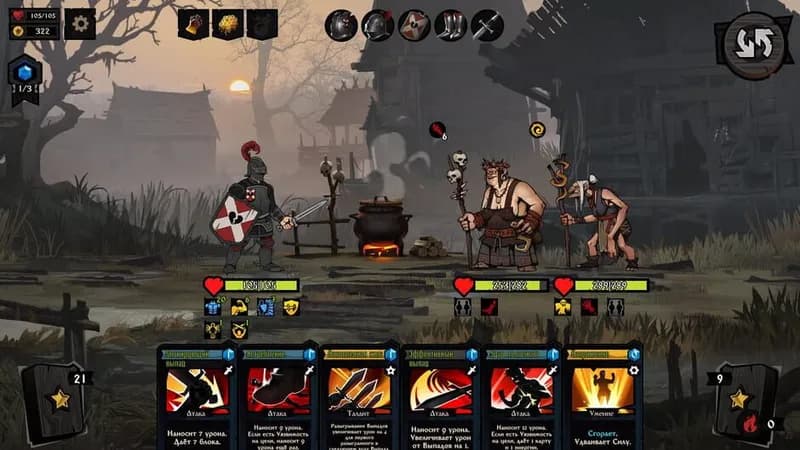
As an undead warrior, navigate a treacherous world to uncover your purpose and reach your homeland. Your decisions will shape the narrative as you confront intricate plots and character motivations.
Knock on the Coffin Lid Minimum & Recommended Specs
Minimum: Intel Core i3-6100, Nvidia GeForce GTX, 6 GB RAM. Recommended: 8 GB RAM RAM.
Minimum System Requirements
Recommended System Requirements
Trailer
Quick Performance Tips for Knock on the Coffin Lid
#1
Lower the shadow quality for a noticeable FPS boost.
#2
Disable anti-aliasing if you're experiencing lag.
#3
Close unnecessary background applications.
#4
Update your graphics drivers for optimal performance.
Knock on the Coffin Lid System Requirements FAQ
Can I run Knock on the Coffin Lid on a low-end PC?
Knock on the Coffin Lid can run on lower-end PCs if they meet the minimum requirements: an Intel Core i3-6100 or AMD FX-6300 processor, an Nvidia GeForce GTX 560 or AMD Radeon HD 6870 graphics card, and 6 GB of RAM. If your PC is below these specs, you may experience performance issues.
What GPU do I need for Knock on the Coffin Lid?
For minimum performance, you'll need at least an Nvidia GeForce GTX 560 or an AMD Radeon HD 6870. For recommended performance, aim for an Nvidia GeForce GTX 960 or an AMD Radeon R9 380.
How much RAM does Knock on the Coffin Lid need?
The minimum RAM requirement is 6 GB. However, 8 GB of RAM is recommended for a smoother experience, especially with higher graphics settings.
Will Knock on the Coffin Lid run on integrated graphics?
While it might technically run on some integrated graphics solutions, performance will likely be poor, even at the lowest settings. A dedicated graphics card is highly recommended for a playable experience.
What is the best graphics settings for Knock on the Coffin Lid?
The best graphics settings depend on your hardware. If you meet the recommended specs, you should be able to run the game on medium to high settings. If you only meet the minimum specs, start with low settings and gradually increase them until you find a balance between visual quality and performance.

Knock on the Coffin Lid Game Info
Developer
RED BOON FZE LLC
Publisher
RED BOON FZE LLC
Release Date
August 8, 2024
Platforms
Xbox Series X|S, PC (Microsoft Windows), PlayStation 5
Genres
Role-playing (RPG)StrategyTurn-based strategy (TBS)AdventureIndieCard & Board Game
Game Modes
- Single player
Knock on the Coffin Lid Screenshots









Optimize Your PC for Knock on the Coffin Lid
Use our free tools to analyze and improve your gaming performance