
All Games
Left 4 Dead System Requirements
April 26, 2022
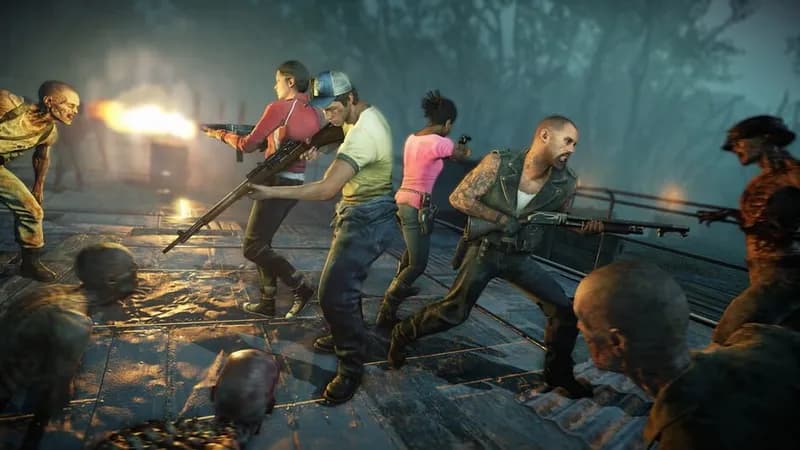
Expand your zombie apocalypse survival roster with this character pack. It unlocks eight playable survivors, offering a diverse range of personalities and backstories to experience the undead onslaught.
Left 4 Dead Minimum & Recommended Specs
Minimum: Pentium 4 3.0GHz, 128 MB, Shader, 1 GB RAM. Recommended: 2 GB RAM RAM.
Minimum System Requirements
Recommended System Requirements
Quick Performance Tips for Left 4 Dead
#1
Lower texture detail for a significant FPS boost.
#2
Disable anti-aliasing to improve performance.
#3
Reduce shadow detail; it's performance-heavy.
#4
Close background programs to free up RAM.
Left 4 Dead System Requirements FAQ
Can I run Left 4 Dead on a low-end PC?
Left 4 Dead is designed to run on older hardware. If your PC meets the minimum requirements (Pentium 4 3.0GHz, 1GB RAM, ATI X800/NVidia 6600), you should be able to play, but expect lower settings and potentially lower frame rates. For a smoother experience, aim for the recommended specs.
What GPU do I need for Left 4 Dead?
At a minimum, you'll need a GPU with Shader Model 2.0 support, such as an ATI X800 or NVidia 6600. For better performance, an NVidia 7600 or ATI X1600 (with Shader Model 3.0) is recommended.
How much RAM does Left 4 Dead need?
Left 4 Dead requires at least 1GB of RAM to run. However, 2GB of RAM is recommended for a smoother experience, especially on higher settings or when playing with multiple players.
Will Left 4 Dead run on integrated graphics?
It's unlikely Left 4 Dead will run well on most integrated graphics solutions from that era. While some higher-end integrated GPUs *might* technically launch the game, expect very low frame rates and significant graphical compromises. A dedicated graphics card is highly recommended.
What is the best graphics settings for Left 4 Dead?
The best settings depend on your hardware. Start with medium settings and adjust from there. If you're experiencing low frame rates, lower the texture detail, shadow detail, and effects detail. Also, disable anti-aliasing and anisotropic filtering for a performance boost.

Left 4 Dead Screenshots





Optimize Your PC for Left 4 Dead
Use our free tools to analyze and improve your gaming performance