
Plants vs. Zombies: Battle for Neighborville System Requirements
Engage in plant-on-zombie warfare as a customizable class, choosing from attackers, defenders, or support roles. Compete online in objective-based modes or explore PvE open zones to uncover secrets and missions, with split-screen local play available.
Plants vs. Zombies: Battle for Neighborville Minimum & Recommended Specs
Minimum: Intel Core i3-2120, NVIDIA GeForce GT, 4 GB RAM. Recommended: 8 GB RAM RAM.
Minimum System Requirements
Recommended System Requirements
Trailer
Quick Performance Tips for Plants vs. Zombies: Battle for Neighborville
Lower your resolution for a significant FPS boost.
Disable or lower shadow quality for improved performance.
Close unnecessary background applications.
Update your graphics drivers to the latest version.
Plants vs. Zombies: Battle for Neighborville System Requirements FAQ
Can I run Plants vs. Zombies: Battle for Neighborville on a low-end PC?
What GPU do I need for Plants vs. Zombies: Battle for Neighborville?
How much RAM does Plants vs. Zombies: Battle for Neighborville need?
Will Plants vs. Zombies: Battle for Neighborville run on integrated graphics?
What is the best graphics settings for Plants vs. Zombies: Battle for Neighborville?
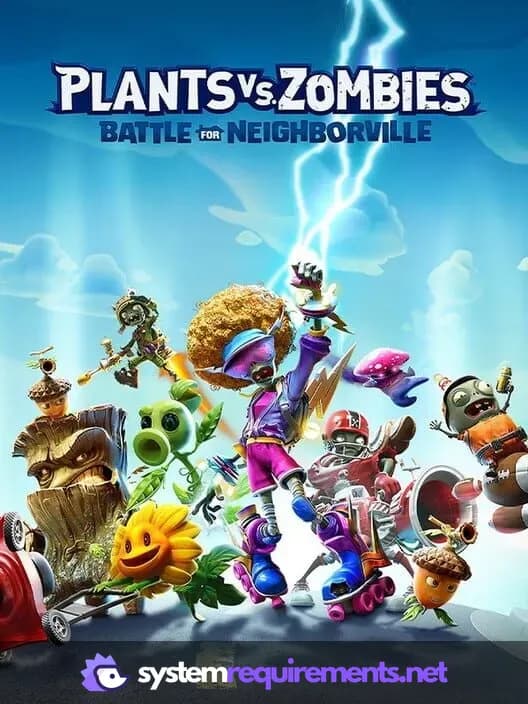
Plants vs. Zombies: Battle for Neighborville Game Info
Developer
PopCap Games
Publisher
Electronic Arts
Release Date
October 18, 2019
Platforms
PlayStation 4, PC (Microsoft Windows), Xbox One, Nintendo Switch
Genres
Game Modes
- Single player
- Multiplayer
- Co-operative
- Split screen
Plants vs. Zombies: Battle for Neighborville Screenshots




Games Similar to Plants vs. Zombies: Battle for Neighborville




Optimize Your PC for Plants vs. Zombies: Battle for Neighborville
Use our free tools to analyze and improve your gaming performance
Estimate FPS for Plants vs. Zombies: Battle for Neighborville
Calculate expected frame rates with your hardware
Check for Bottlenecks
Find if your CPU or GPU is holding you back
Calculate PSU Wattage
Make sure your power supply can handle your build
Compare Graphics Cards
Find the best GPU upgrade for your needs