
All Games
Ready or Not System Requirements
December 13, 2023VOID Interactive84/100
Ready or Not demands precision and teamwork as you lead a SWAT unit through volatile scenarios in a contemporary, fractured America. Face unpredictable AI in single-player, coordinate with up to 8 friends in co-op, or engage in tense player-vs-player combat.
Ready or Not Minimum & Recommended Specs
Minimum: Intel Core i5-4430, NVIDIA GeForce GTX, 8 GB RAM. Recommended: 16 GB RAM RAM.
Minimum System Requirements
Recommended System Requirements
Launch Trailer
Quick Performance Tips for Ready or Not
#1
Lower shadow quality for a big FPS boost.
#2
Disable or reduce anti-aliasing settings.
#3
Update your graphics drivers for best performance.
#4
Close unnecessary background applications.
Ready or Not System Requirements FAQ
Can I run Ready or Not on a low-end PC?
If your PC meets the minimum requirements (Intel Core i5-4430 or AMD FX-6300, NVIDIA GeForce GTX 960 2GB or AMD Radeon R7 370 2GB, and 8 GB RAM), you should be able to run Ready or Not, but expect to play on lower settings and potentially experience lower frame rates. For a smoother experience, meeting the recommended specs is highly advised.
What GPU do I need for Ready or Not?
The minimum GPU requirement is an NVIDIA GeForce GTX 960 2GB or an AMD Radeon R7 370 2GB. For a better experience, the recommended GPU is an NVIDIA GeForce GTX 1060 6GB or an AMD Radeon RX 580 8GB.
How much RAM does Ready or Not need?
Ready or Not requires a minimum of 8 GB of RAM. However, 16 GB of RAM is recommended for a smoother and more stable gameplay experience, especially at higher settings.
Will Ready or Not run on integrated graphics?
It's highly unlikely that Ready or Not will run well, or at all, on integrated graphics. The game is graphically demanding and requires a dedicated graphics card that meets the minimum requirements (NVIDIA GeForce GTX 960 2GB or AMD Radeon R7 370 2GB).
What is the best graphics settings for Ready or Not?
The best graphics settings depend on your hardware. If you meet the recommended specs, you can likely play on medium to high settings. If you only meet the minimum specs, start with the lowest settings and gradually increase them until you find a balance between visual quality and performance. Experiment with individual settings like shadows and anti-aliasing, as these can significantly impact performance.
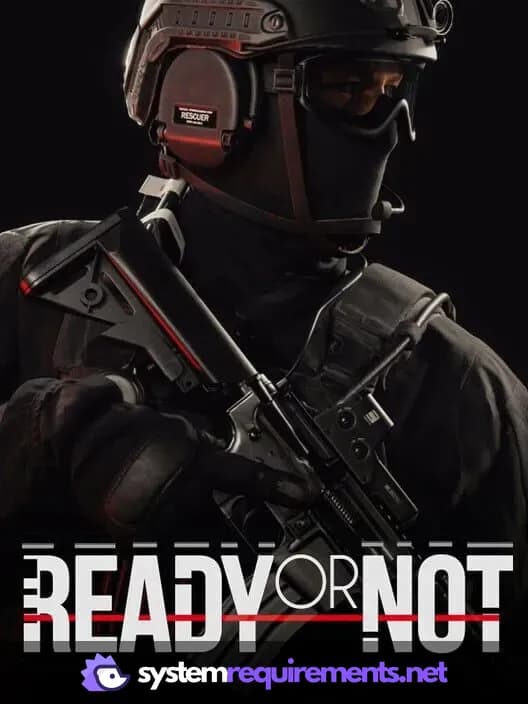
Ready or Not Game Info
Developer
VOID Interactive
Publisher
VOID Interactive
Release Date
December 13, 2023
Platforms
Xbox Series X|S, PC (Microsoft Windows), PlayStation 5
Genres
ShooterSimulatorTacticalIndie
Game Modes
- Single player
- Multiplayer
- Co-operative
Ready or Not Screenshots






Optimize Your PC for Ready or Not
Use our free tools to analyze and improve your gaming performance