
All Games
RPG Developer Bakin System Requirements
August 28, 2025SmileBoom
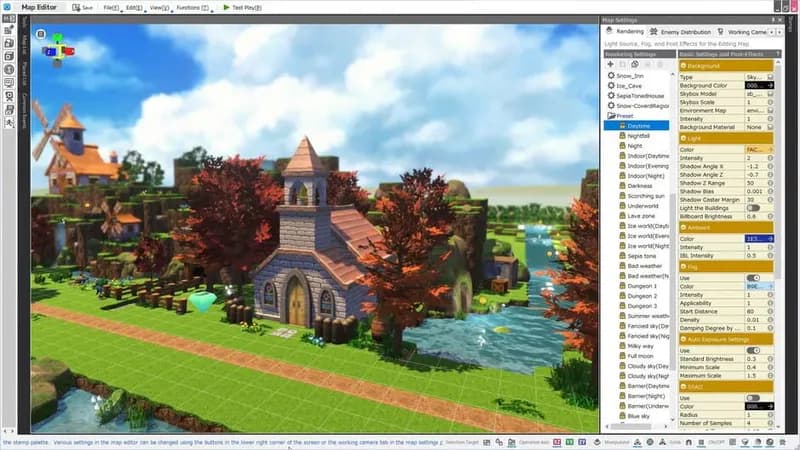
RPG Developer Bakin enables users to construct role-playing games using a suite of accessible creation tools and a library of pre-made assets, no coding experience necessary. Created games can be freely distributed, commercially or otherwise, without royalty fees.
RPG Developer Bakin Minimum & Recommended Specs
Minimum: Intel Core i5-4400, NVIDIA GeForce GTX, 8 GB RAM. Recommended: 16 GB RAM RAM.
Minimum System Requirements
Recommended System Requirements
Upgrade Your Hardware
Trailer
Quick Performance Tips for RPG Developer Bakin
#1
Close unnecessary programs to free up RAM.
#2
Lower the editor window resolution for better performance.
#3
Optimize your assets (images, models) for size.
#4
Divide large projects into smaller, manageable scenes.
RPG Developer Bakin System Requirements FAQ
Can I run RPG Developer Bakin on a low-end PC?
While RPG Developer Bakin may run on PCs below the minimum specifications, performance may be significantly impacted. Expect longer loading times and potential lag, especially when working with large or complex projects. We recommend aiming for at least the minimum requirements for a smoother experience.
What GPU do I need for RPG Developer Bakin?
At a minimum, you'll need an NVIDIA GeForce GTX 970. For optimal performance and the ability to handle more complex projects, we recommend an NVIDIA GeForce RTX 2070 or better.
How much RAM does RPG Developer Bakin need?
RPG Developer Bakin requires a minimum of 8 GB of RAM. However, for larger projects and smoother performance, we highly recommend 16 GB of RAM.
Will RPG Developer Bakin run on integrated graphics?
While it might launch, running RPG Developer Bakin on integrated graphics is not recommended. Performance will likely be very poor, especially with any substantial project. A dedicated GPU is highly recommended.
What is the best graphics settings for RPG Developer Bakin?
RPG Developer Bakin automatically adjusts graphics settings based on your hardware. However, if you experience performance issues, try reducing the resolution of the editor window or simplifying the scene you're working on.

RPG Developer Bakin Game Info
Developer
SmileBoom
Publisher
SmileBoom
Release Date
August 28, 2025
Platforms
PC (Microsoft Windows)
Game Modes
- Single player
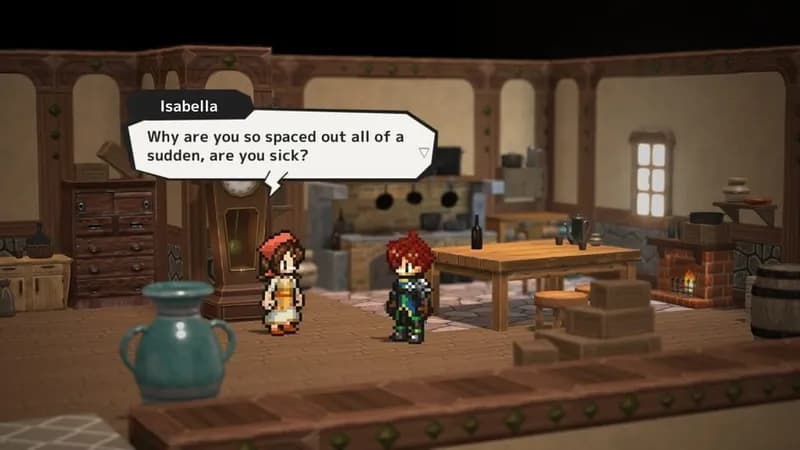
RPG Developer Bakin Screenshots






Optimize Your PC for RPG Developer Bakin
Use our free tools to analyze and improve your gaming performance