All Games

Skull and Bones System Requirements

February 16, 2024Ubisoft Singapore56/100

Navigate treacherous seas in Skull and Bones, an online naval RPG where you build a pirate empire through ship customization and intense combat. Ongoing seasonal updates deliver new content and challenges as you fight to become the ultimate pirate kingpin.

Skull and Bones Minimum & Recommended Specs

Minimum: Intel Core i7-4790, NVIDIA GeForce GTX, 8 GB RAM. Recommended: 16 GB RAM RAM.

Minimum System Requirements

OS
Windows 10
Processor
Intel Core i7-4790 or AMD Ryzen 5 1600CPU Deals
RAM
8 GB RAMRAM Deals
Graphics Card
NVIDIA GeForce GTX 1060 (6 GB) or AMD Radeon RX 570 (8 GB)GPU Deals
DirectX
DirectX 12
Storage
65 GB available spaceSSD Deals

Recommended System Requirements

OS
Windows 10
Processor
Intel Core i7-8700K or AMD Ryzen 5 3600CPU Deals
RAM
16 GB RAMRAM Deals
Graphics Card
NVIDIA GeForce RTX 2070 (8 GB) or AMD Radeon RX 5700 XT (8 GB)GPU Deals
DirectX
DirectX 12
Storage
65 GB available spaceSSD Deals

E3 2017: Cinematic Trailer

Quick Performance Tips for Skull and Bones

#1

Close unnecessary background apps to free up RAM.

#2

Update your graphics drivers for optimal performance.

#3

Lower graphics settings if you experience lag.

#4

Ensure your PC meets minimum spec before playing.

Skull and Bones System Requirements FAQ

Can I run Skull and Bones on a low-end PC?
To play Skull and Bones, your PC needs at least an Intel Core i7-4790 or AMD Ryzen 5 1600 CPU, an NVIDIA GeForce GTX 1060 (6 GB) or AMD Radeon RX 570 (8 GB) GPU, and 8 GB of RAM. If your PC doesn't meet these minimum requirements, you may experience performance issues or be unable to run the game.
What GPU do I need for Skull and Bones?
For minimum settings, you'll need at least an NVIDIA GeForce GTX 1060 (6 GB) or AMD Radeon RX 570 (8 GB). For recommended settings and a smoother experience, aim for an NVIDIA GeForce RTX 2070 (8 GB) or AMD Radeon RX 5700 XT (8 GB).
How much RAM does Skull and Bones need?
Skull and Bones requires a minimum of 8 GB of RAM. However, 16 GB of RAM is recommended for optimal performance and to avoid potential stuttering or slowdowns, especially at higher settings.
Will Skull and Bones run on integrated graphics?
It's highly unlikely that Skull and Bones will run well, if at all, on integrated graphics. The game requires a dedicated graphics card with at least 6 GB of VRAM to meet the minimum requirements.
What is the best graphics settings for Skull and Bones?
The 'best' graphics settings depend on your hardware. Start with the recommended settings (if your PC meets them). If performance is poor, lower the resolution, texture quality, and shadow details. Experiment to find a balance between visual quality and performance.
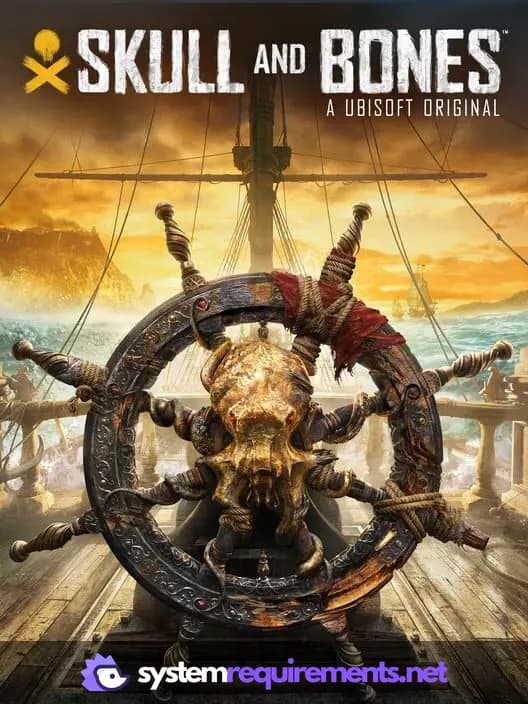
Skull and Bones PC game cover art

Skull and Bones Game Info

Developer

Ubisoft Singapore

Publisher

Ubisoft Entertainment

Release Date

February 16, 2024

Platforms

Xbox Series X|S, PC (Microsoft Windows), PlayStation 5

Genres

Role-playing (RPG)Adventure

Game Modes

  • Single player
  • Multiplayer
  • Co-operative

Skull and Bones Screenshots

Skull and Bones gameplay screenshot 1
Skull and Bones gameplay screenshot 2
Skull and Bones gameplay screenshot 3
Skull and Bones gameplay screenshot 4
Skull and Bones System Requirements - Can Your PC Run It?