
All Games
STAR WARS Battlefront (Classic, 2004) System Requirements
September 17, 2004Pandemic Studios73/100
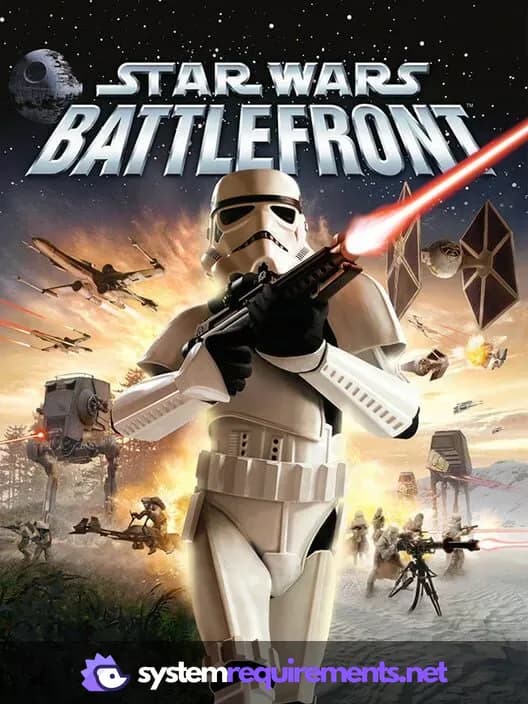
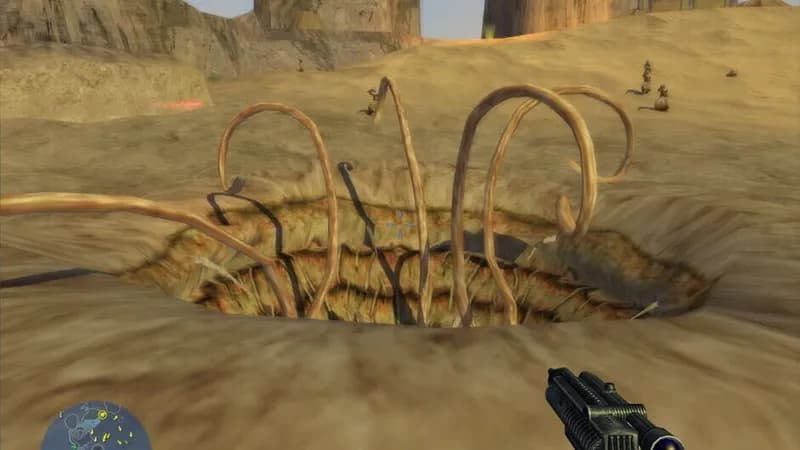
Pandemic Studios' 2004 release, Star Wars: Battlefront, lets players engage in iconic Star Wars battles from a first or third-person perspective. Supporting both online multiplayer and offline matches for up to four players on consoles, this title coincided with the DVD release of the original Star Wars trilogy.
STAR WARS Battlefront (Classic, 2004) Minimum & Recommended Specs
Minimum: Intel Pentium III, 32 MB DirectX, 256 MB RAM. Recommended: 512 MB RAM RAM.
Minimum System Requirements
Recommended System Requirements
Trailer
Quick Performance Tips for STAR WARS Battlefront (Classic, 2004)
#1
Lower resolution for better FPS.
#2
Disable anti-aliasing to boost performance.
#3
Close background apps for more RAM.
#4
Update your graphics drivers.
STAR WARS Battlefront (Classic, 2004) System Requirements FAQ
Can I run STAR WARS Battlefront (Classic, 2004) on a low-end PC?
Yes, STAR WARS Battlefront (Classic, 2004) has very low system requirements. As long as you meet the minimum specs of a Pentium III 1.0GHz or Athlon 1.0 GHz CPU, 256 MB of RAM, and a GeForce3 or Radeon 8500 equivalent graphics card, you should be able to play. However, for a smoother experience, aim for the recommended specs.
What GPU do I need for STAR WARS Battlefront (Classic, 2004)?
The minimum GPU requirement is a DirectX 9.0c compatible card with 32 MB of memory, such as an NVIDIA GeForce3 or ATI Radeon 8500. For better performance, a 64 MB GeForce4 or Radeon 9700 is recommended.
How much RAM does STAR WARS Battlefront (Classic, 2004) need?
The game requires a minimum of 256 MB of RAM. However, 512 MB of RAM is recommended for a smoother and more stable experience, especially on larger maps or with higher settings.
Will STAR WARS Battlefront (Classic, 2004) run on integrated graphics?
It depends on the integrated graphics solution. Older integrated graphics solutions might struggle. If your integrated graphics card meets or exceeds the performance of a GeForce3 or Radeon 8500, it might be playable, but expect lower frame rates and potential graphical glitches. Test it to be sure.
What is the best graphics settings for STAR WARS Battlefront (Classic, 2004)?
Since the game is older, most modern systems can run it at maximum settings. However, if you experience performance issues, try lowering the resolution, texture quality, and disabling anti-aliasing. Experiment to find the best balance between visual quality and performance for your system.
STAR WARS Battlefront (Classic, 2004) Game Info
Developer
Pandemic Studios
Publisher
LucasArts
Release Date
September 17, 2004
Platforms
Xbox, PC (Microsoft Windows), Mac, PlayStation 2
Genres
Shooter
Game Modes
- Single player
- Multiplayer
- Co-operative
- Split screen
STAR WARS Battlefront (Classic, 2004) Screenshots

Games Similar to STAR WARS Battlefront (Classic, 2004)

Optimize Your PC for STAR WARS Battlefront (Classic, 2004)
Use our free tools to analyze and improve your gaming performance