
All Games
State of Decay: YOSE System Requirements
State of Decay: YOSE Minimum & Recommended Specs
Minimum: Intel Core 2, 512 MB DirectX, 2 GB RAM. Recommended: 4 GB RAM RAM.
Minimum System Requirements
Recommended System Requirements
Quick Performance Tips for State of Decay: YOSE
#1
Lower shadow quality for a big FPS boost.
#2
Reduce draw distance to improve performance.
#3
Disable anti-aliasing on low-end PCs.
#4
Close background apps for more RAM.
#5
Update your graphics drivers.
#6
Run the game in fullscreen mode.
State of Decay: YOSE System Requirements FAQ
Can I run State of Decay: YOSE on a low-end PC?
Yes, State of Decay: YOSE can run on low-end PCs. The minimum requirements are quite modest: an Intel Core 2 Duo E6600 or AMD Athlon X64 4800+, a NVIDIA GeForce 8600 GT / AMD Radeon HD 2600 XT, and 2 GB of RAM. However, expect lower frame rates and graphical settings.
What GPU do I need for State of Decay: YOSE?
For minimum settings, you'll need at least a NVIDIA GeForce 8600 GT or AMD Radeon HD 2600 XT. For recommended settings and smoother gameplay, aim for a NVIDIA GeForce GTX 470 or AMD Radeon HD 5850.
How much RAM does State of Decay: YOSE need?
The game requires a minimum of 2 GB of RAM. However, 4 GB of RAM is recommended for a smoother and more stable experience, especially with higher graphical settings.
Will State of Decay: YOSE run on integrated graphics?
While technically possible, running State of Decay: YOSE on integrated graphics is not recommended. You'll likely experience very low frame rates and significant graphical issues. A dedicated graphics card is highly advised.
What is the best graphics settings for State of Decay: YOSE?
The best graphics settings depend on your hardware. Start with the 'Medium' preset and adjust from there. Lowering shadow quality and draw distance can significantly improve performance on lower-end systems.

State of Decay: YOSE Game Info
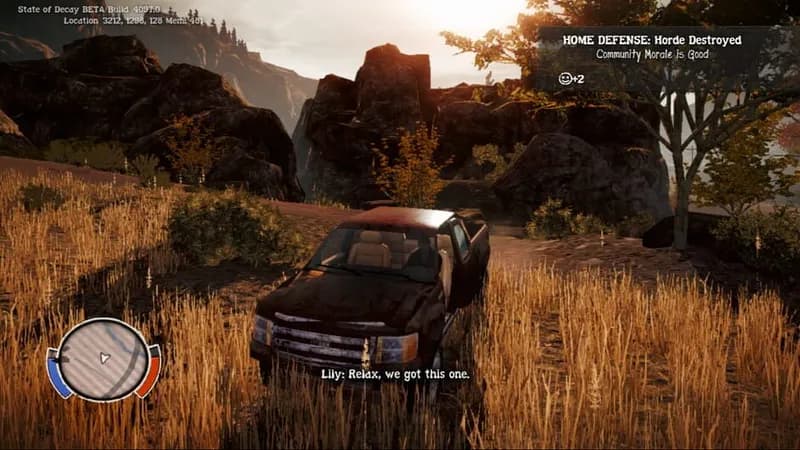
State of Decay: YOSE Screenshots



Games Similar to State of Decay: YOSE




Optimize Your PC for State of Decay: YOSE
Use our free tools to analyze and improve your gaming performance