
All Games
The Sims 4 Get Together System Requirements
December 8, 2015Maxis70/100
Sims 4: Get Together introduces Clubs, allowing you to dictate group behavior and customize hangout spots. Explore the European-inspired Windenburg and discover new social interactions tied to Club activities.
The Sims 4 Get Together Minimum & Recommended Specs
Minimum: Intel Core i3-3220, NVIDIA GeForce 660, 4 GB RAM. Recommended: 8 GB RAM RAM.
Minimum System Requirements
Recommended System Requirements
Trailer
Quick Performance Tips for The Sims 4 Get Together
#1
Lower your graphics settings for better performance.
#2
Close unnecessary background programs.
#3
Reduce the number of Sims on your lot.
#4
Upgrade your RAM if you're experiencing lag.
The Sims 4 Get Together System Requirements FAQ
Can I run The Sims 4 Get Together on a low-end PC?
If your PC meets the minimum requirements (Intel Core i3-3220 or AMD Ryzen 3 1200, NVIDIA GeForce 660 or AMD Radeon HD 7790, 4 GB RAM), you can run the game, but you may need to lower graphics settings for smoother gameplay. Performance may be limited.
What GPU do I need for The Sims 4 Get Together?
At a minimum, you'll need an NVIDIA GeForce 660 or AMD Radeon HD 7790. For optimal performance, an NVIDIA GeForce GTX 1060 or AMD Radeon RX 580 is recommended.
How much RAM does The Sims 4 Get Together need?
The game requires a minimum of 4 GB of RAM. However, 8 GB of RAM is recommended for a smoother experience, especially with larger households and more installed content.
Will The Sims 4 Get Together run on integrated graphics?
While it *might* run on some integrated graphics solutions, it's not recommended. You'll likely experience significant performance issues and very low graphics settings. A dedicated graphics card is highly recommended.
What is the best graphics settings for The Sims 4 Get Together?
If you meet the recommended specs, you can likely run the game on high or ultra settings. If you're closer to the minimum specs, start with medium or low settings and adjust from there to balance visual quality and performance.
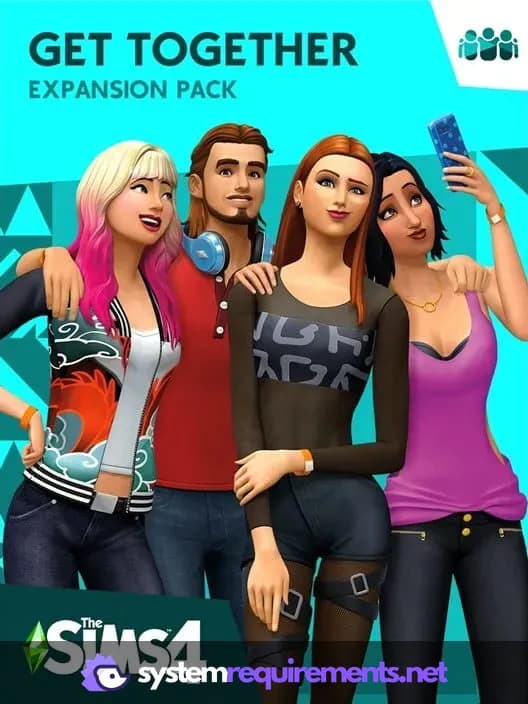
The Sims 4 Get Together Game Info
Developer
Maxis
Publisher
Electronic Arts
Release Date
December 8, 2015
Platforms
Xbox Series X|S, PlayStation 4, PC (Microsoft Windows), PlayStation 5, Mac
Genres
Role-playing (RPG)SimulatorAdventure
Game Modes
- Single player
The Sims 4 Get Together Screenshots







Optimize Your PC for The Sims 4 Get Together
Use our free tools to analyze and improve your gaming performance