
All Games
UNO System Requirements
April 9, 2013Gameloft
Experience the classic card game UNO on your PC, optimized for online multiplayer. Compete against friends or join global tournaments in various game modes.
UNO Minimum & Recommended Specs
Minimum: Intel Core 2, nVidia GeForce 8600GT, 2 GB RAM. Recommended: 4 GB RAM RAM.
Minimum System Requirements
| OS | Windows 7 SP1, Windows 8.1 or Windows 10 |
| Processor | Intel Core 2 Duo E4400 @ 2.0 GHz or AMD Athlon64 X2 3800+ @ 2.0 GHz (or better)CPU Deals |
| RAM | 2 GB RAMRAM Deals |
| Graphics Card | nVidia GeForce 8600GT or AMD Radeon HD2600XT (256MB VRAM with Shader Model 4.0 or higher)GPU Deals |
| DirectX | Version 9.0c |
| Storage | 2 GB available spaceSSD Deals |
Recommended System Requirements
| OS | Windows 7 SP1, Windows 8.1 or Windows 10 |
| Processor | Intel Core 2 Quad Q6600 @ 2.4 GHz or AMD Athlon64 X4 6000+ @ 2.6 GHz (or better)CPU Deals |
| RAM | 4 GB RAMRAM Deals |
| Graphics Card | nVidia GeForce 9600GT or AMD Radeon HD3870 (512MB VRAM with Shader Model 4.0 or higher)GPU Deals |
| DirectX | Version 9.0c |
| Storage | 2 GB available spaceSSD Deals |
Quick Performance Tips for UNO
#1
Close unnecessary background programs.
#2
Lower the game resolution for better FPS.
#3
Update your graphics card drivers.
#4
Restart your computer before playing.
UNO System Requirements FAQ
Can I run UNO on a low-end PC?
UNO is designed to be accessible! If your PC meets the minimum requirements (Intel Core 2 Duo E4400/AMD Athlon64 X2 3800+, nVidia GeForce 8600GT/AMD Radeon HD2600XT, and 2GB RAM), you should be able to play. However, you may need to lower graphics settings for optimal performance.
What GPU do I need for UNO?
At a minimum, you'll need an nVidia GeForce 8600GT or an AMD Radeon HD2600XT (with 256MB VRAM and Shader Model 4.0 or higher). For a smoother experience, an nVidia GeForce 9600GT or AMD Radeon HD3870 (with 512MB VRAM) is recommended.
How much RAM does UNO need?
UNO requires a minimum of 2GB of RAM to run. For the best experience, especially if you have other applications running in the background, 4GB of RAM is recommended.
Will UNO run on integrated graphics?
While not officially supported, UNO *might* run on some newer integrated graphics solutions if they meet or exceed the minimum GPU specifications (Shader Model 4.0 and sufficient VRAM). However, performance may be significantly reduced, and graphical glitches are possible. We recommend a dedicated graphics card for the best experience.
What is the best graphics settings for UNO?
UNO doesn't have extensive graphics options. If you're experiencing performance issues, try lowering the resolution and disabling any optional visual effects within the game's settings menu. Closing other applications running in the background can also help.
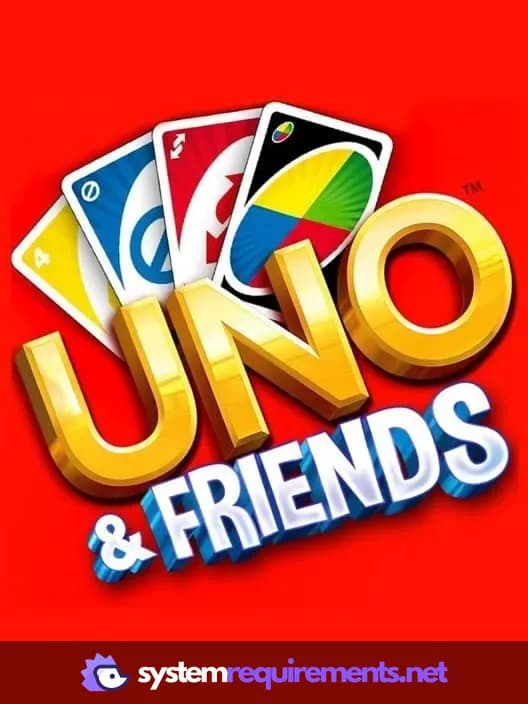
UNO Game Info
Developer
Gameloft
Publisher
Gameloft
Release Date
April 9, 2013
Platforms
Windows Phone, Android, PC (Microsoft Windows), iOS
Genres
PuzzleQuiz/TriviaCard & Board Game
Game Modes
- Single player
- Multiplayer
UNO Screenshots








Optimize Your PC for UNO
Use our free tools to analyze and improve your gaming performance