
Vampires: Bloodlord Rising System Requirements
Embrace the night as a fledgling vampire, forging your dominion in the land of Sangavia. Construct your stronghold, command your brood, and carve your legend through a narrative-rich, open-world experience, either solo or alongside allies in cooperative gameplay.
Vampires: Bloodlord Rising Minimum & Recommended Specs
Minimum: Intel Core i3-4160, NVIDIA GeForce GTX, 4 GB RAM. Recommended: 8 GB RAM RAM.
Minimum System Requirements
Recommended System Requirements
Upgrade Your Hardware
Trailer
Quick Performance Tips for Vampires: Bloodlord Rising
Lower shadow quality for a significant FPS boost.
Disable anti-aliasing if you're struggling with performance.
Close unnecessary background apps to free up RAM.
Update your graphics drivers for the latest performance improvements.
Vampires: Bloodlord Rising System Requirements FAQ
Can I run Vampires: Bloodlord Rising on a low-end PC?
What GPU do I need for Vampires: Bloodlord Rising?
How much RAM does Vampires: Bloodlord Rising need?
Will Vampires: Bloodlord Rising run on integrated graphics?
What is the best graphics settings for Vampires: Bloodlord Rising?

Vampires: Bloodlord Rising Game Info
Publisher
Toplitz Productions
Release Date
January 30, 2026
Platforms
PC (Microsoft Windows), PlayStation 5
Genres
Game Modes
- Single player
- Multiplayer
- Co-operative
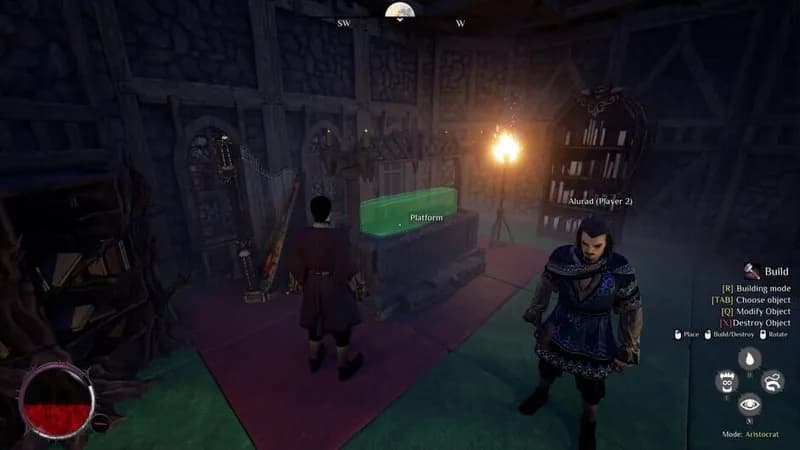
Vampires: Bloodlord Rising Screenshots



Games Similar to Vampires: Bloodlord Rising

Disney Dreamlight Valley: Wishblossom Ranch
View requirements →

Atelier Ryza: Ever Darkness & the Secret Hideout DX
View requirements →

CODE VEIN II
View requirements →

Disney Dreamlight Valley: A Rift in Time
View requirements →

Medieval Dynasty - Echoes of Nature
View requirements →

Drunkard Simulator
View requirements →
Optimize Your PC for Vampires: Bloodlord Rising
Use our free tools to analyze and improve your gaming performance