
Guide
Common Buying Mistakes
Avoiding common buying mistakes can save you frustration and money. This guide reveals the pitfalls shoppers face when buying a new laptop and shows you how to make smarter decisions, especially when battery life is a top priority.
Updated 2026-07-05
Understanding Common Buying Mistakes When Shopping for a Laptop
Buying a new laptop is an exciting process, but it is easy to make costly mistakes if you do not know what to look for. Many shoppers get swept up in flashy specs or persuasive marketing, only to find that their new device does not meet their real needs. Battery life is one of the most overlooked aspects, even though it impacts daily usability more than almost any other feature.
One major pitfall is relying solely on manufacturer battery life claims. These numbers are often based on unrealistic test scenarios and can vary dramatically depending on how you actually use your laptop. Web browsing, streaming, gaming, and editing content all drain the battery at different rates. To avoid disappointment, you need to understand your typical usage patterns and how they affect power consumption.
Another frequent issue is underestimating the impact of display resolution and brightness. High-resolution screens look stunning, but they can cut battery life significantly, especially if you keep brightness maxed out. Similarly, buyers often overlook the difference between integrated and dedicated graphics. A laptop with a dedicated GPU may be great for gaming, but it will drain your battery much faster than one with integrated graphics.
Finally, people frequently forget to check for features like fast charging and removable batteries, which can make a big difference in convenience. Making an informed purchase means looking past marketing and digging into the specs that really matter for your daily use.
How to Avoid the Most Common Buying Mistakes
To make a smart laptop purchase, start by clearly defining your priorities. Ask yourself: Do you need all-day battery life, or is performance your top goal? Many buyers assume a high-end processor or powerful graphics are always better, but these components can drastically reduce battery runtime if you are often away from an outlet.
Use tools like the Laptop Battery Life Calculator to get a realistic estimate of how long a specific model will last based on your real-world tasks. This calculator lets you input your device's battery specs and typical workloads, giving you a much more accurate picture than manufacturer claims. Comparing runtimes for activities like web browsing, office work, gaming, and content creation can help you determine if a laptop really fits your lifestyle.
Another tip is to check user reviews and battery benchmarks. Real user feedback often highlights issues that are not obvious from the spec sheet, such as poor battery management or software that drains power. Do not forget to consider factors like the power adapter size and charging speed, especially if you travel frequently.
Lastly, always factor in the operating system and pre-installed software. Some laptops come loaded with bloatware that can sap battery life right out of the box. Choosing a device with a clean install or minimal bundled apps can help you get the most from your battery. In summary, avoiding common buying mistakes requires research, realistic expectations, and practical tools like the Laptop Battery Life Calculator.
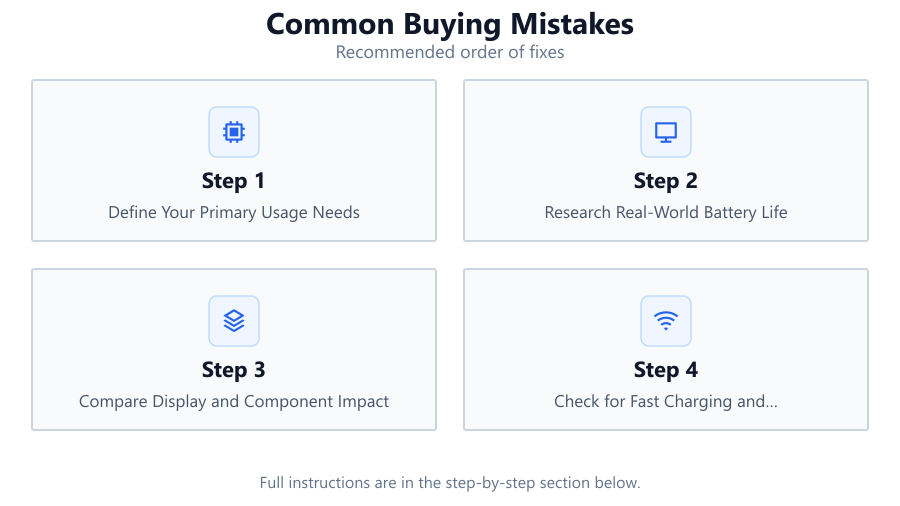
Step-by-step
Define Your Primary Usage Needs
List the main tasks you will use your laptop for, such as browsing, office work, gaming, or media editing. Knowing your priorities ensures you do not overpay for features you will not use or overlook essentials like battery life.
Research Real-World Battery Life
Do not trust only manufacturer battery claims. Use the Laptop Battery Life Calculator and read user reviews to see how models perform during typical workloads similar to yours.
Compare Display and Component Impact
Understand how screen size, resolution, and dedicated graphics affect power consumption. Higher specs may look attractive but often mean shorter battery runtimes.
Check for Fast Charging and Battery Options
Look for laptops with fast charging, USB-C charging, or removable batteries. These features can save you time and extend your laptop's overall usability.
Evaluate Software and Bloatware
Avoid laptops loaded with unnecessary software that can drain battery life. Opt for models with clean operating systems or minimal pre-installed apps.
Comparison
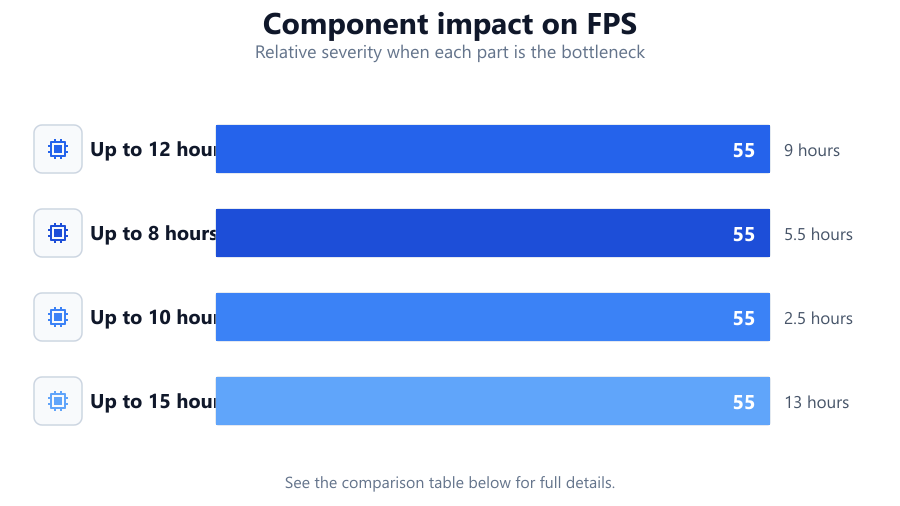
| Battery Life Claim | Real-World Usage | Result |
|---|---|---|
| Up to 12 hours | Web browsing, 50 percent brightness | 9 hours |
| Up to 8 hours | Streaming video, max brightness | 5.5 hours |
| Up to 10 hours | Gaming, dedicated GPU active | 2.5 hours |
| Up to 15 hours | Office work, low brightness | 13 hours |
Common mistakes
Mistake
Trusting manufacturer battery life claims without verification
Fix: Always check independent reviews and use calculators like the Laptop Battery Life Calculator to get realistic estimates.
Mistake
Ignoring the impact of high-resolution displays and dedicated GPUs
Fix: Understand how these components affect power draw and choose specs that balance your performance and battery needs.
Mistake
Overlooking fast charging or removable battery options
Fix: Prioritize laptops with these features if you need maximum portability and minimal downtime.
Troubleshooting
Laptop battery drains much faster than expected
Likely cause: Power-hungry components, high brightness, or background tasks
What to do: Lower screen brightness, close unused apps, and disable unnecessary startup programs.
Charging takes too long
Likely cause: Low wattage charger or lack of fast charging support
What to do: Use the original or a high-wattage charger and consider models with fast charging capabilities.
Lack of battery life improvement after removing bloatware
Likely cause: Underlying hardware is not optimized for efficiency
What to do: Adjust power settings, update drivers, and consider a laptop with a more efficient processor.
Recommendations
- Use the Laptop Battery Life Calculator before purchasing to compare real-world runtimes.
- Balance performance and battery life by choosing components that match your actual workload.
- Always check for fast charging, USB-C compatibility, and removable batteries if battery life is critical.
- Read independent reviews and user feedback to spot common battery-related complaints.
Frequently asked questions
How do I know if a laptop's battery life claim is accurate?
Manufacturer claims are often based on ideal conditions. Use the Laptop Battery Life Calculator and read real user reviews to get a more accurate estimate.
Does screen resolution really affect battery life?
Yes, higher screen resolutions and increased brightness significantly increase power draw, reducing battery life.
Is it better to choose a laptop with a removable battery?
If you need extended use or easy replacement, a removable battery is a strong advantage, though it is less common in modern laptops.
Can pre-installed software impact my battery life?
Yes, unnecessary background programs can drain your battery. Choose laptops with minimal bloatware or remove unneeded apps after purchase.