
Guide
Are Bottleneck Calculators Accurate?
Bottleneck calculators estimate which PC part limits your performance, but how much can you trust them? Learn what they get right and where to be cautious.
Updated 2026-07-05
What Are Bottleneck Calculators and How Do They Work?
A bottleneck calculator is an online tool that predicts which component in your computer is holding back overall performance. Typically, these calculators analyze the pairing of a CPU and GPU to determine if one is significantly weaker than the other, potentially limiting your framerate or system responsiveness.
Bottleneck calculators like the PC Bottleneck Calculator on SystemRequirements.net use extensive hardware databases and performance metrics to compare thousands of CPU and GPU combinations. By simulating various workloads, they estimate which component will be maxed out first under gaming or productivity tasks.
Despite their usefulness, bottleneck calculators have limitations. They often rely on average data, meaning they can overlook unique user scenarios, background applications, and differences in game engines. It is important to understand that these tools offer guidance, not guarantees. Knowing how they work is the first step to interpreting their results accurately.
How Accurate Are Bottleneck Calculators in Real-World Scenarios?
Accuracy depends on data quality, how current the hardware database is, and the algorithms used. Most calculators provide a reasonable estimate for mainstream hardware, especially when comparing widely-used CPUs and GPUs. However, they may fall short with new releases, overclocked setups, or unusual component pairs.
For example, some calculators assume you are gaming at 1080p with high settings. If you play at 4K or use your PC for video editing, the bottleneck could shift dramatically. Real-world performance is also affected by RAM speed, storage, motherboard chipset, cooling solutions, and even software updates.
The PC Bottleneck Calculator stands out by factoring in thousands of hardware combos and benchmarking data, but even it cannot predict every setup perfectly. Always treat the results as a starting point for further research, not a final verdict.
Step-by-step
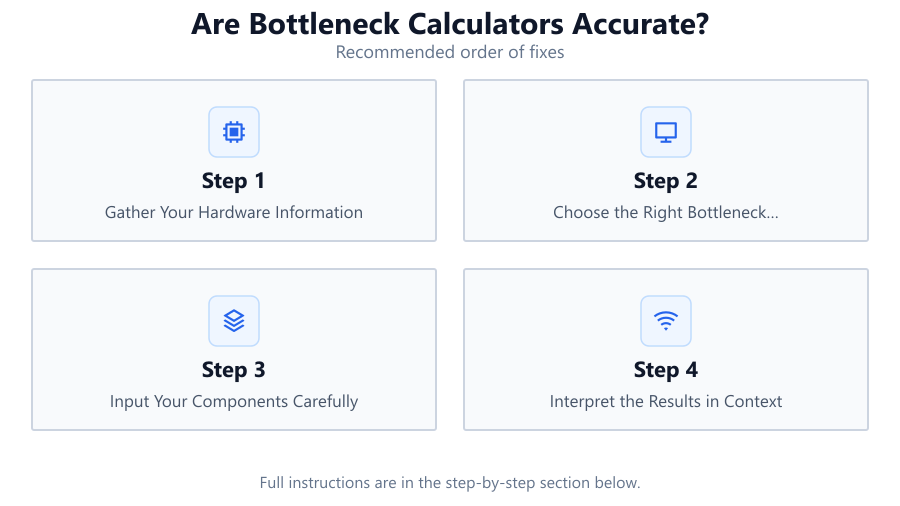
Gather Your Hardware Information
List your exact CPU, GPU, RAM amount, and storage type. Accurate input leads to more relevant bottleneck calculations.
Choose the Right Bottleneck Calculator
Use a reputable tool like the PC Bottleneck Calculator, which is updated regularly and uses real-world data for its predictions.
Input Your Components Carefully
Select the precise models of your CPU and GPU from the dropdowns. Double-check for similar model numbers or suffixes.
Interpret the Results in Context
Consider your typical workloads, gaming resolutions, and background tasks. If the calculator says your CPU is the bottleneck but you only play GPU-intensive games, the result may be less relevant.
Research Further Before Upgrading
Look up benchmarks for your hardware pairing and read user reviews. Use calculator results as a guide, not the only deciding factor.
Comparison
| Calculator Feature | PC Bottleneck Calculator | Typical Bottleneck Tool |
|---|---|---|
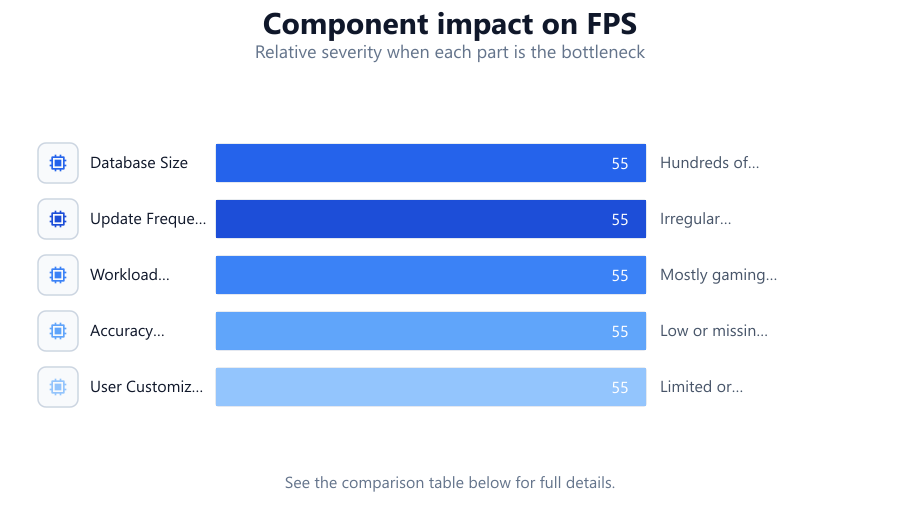
| Database Size | Thousands of hardware combos | Hundreds of combos |
| Update Frequency | Monthly with new releases | Irregular or outdated |
| Workload Simulation | Gaming, productivity, custom | Mostly gaming only |
| Accuracy for New Hardware | High with recent chips | Low or missing data |
| User Customization | Resolution, settings, tasks | Limited or fixed |
Common mistakes
Mistake
Relying solely on calculator results for upgrade decisions
Fix: Use bottleneck calculations as a starting point, but also check real-world benchmarks and user experiences.
Mistake
Not updating component selections to match actual hardware
Fix: Carefully select your exact CPU and GPU models for accurate results.
Mistake
Ignoring other potential bottlenecks like RAM or storage
Fix: Consider the whole system, including RAM speed and SSD vs HDD, when evaluating performance.
Mistake
Assuming results apply to all workloads and games
Fix: Factor in your specific games or applications since bottlenecks can shift with different tasks.
Troubleshooting
Calculator shows major CPU bottleneck but games run smoothly
Likely cause: Calculator assumes a different game or workload than you use
What to do: Check benchmarks for your specific games and settings. Adjust calculator parameters if possible.
Results change drastically after a minor hardware input change
Likely cause: Database may not distinguish between similar hardware revisions
What to do: Double-check selected models and look for user reports on your exact configuration.
Calculator cannot find your hardware models
Likely cause: Tool database may be outdated or incomplete
What to do: Try another up-to-date tool like the PC Bottleneck Calculator or manually compare benchmarks.
Recommendations
- Always use the latest version of a bottleneck calculator for the most accurate data.
- Cross-check calculator results with independent benchmark reviews for your hardware pairing.
- Consider your typical resolution and workload, not just default 1080p gaming scenarios.
- Use the PC Bottleneck Calculator for an in-depth analysis of thousands of hardware combinations.
- Remember that no tool can replace real-world testing and user feedback.
Frequently asked questions
Are bottleneck calculators accurate for all games?
No. Calculators provide estimates based on average game workloads. Some games are more CPU-heavy or GPU-heavy than others, so results may vary.
Can a bottleneck calculator predict performance for new hardware?
Accuracy depends on how quickly the calculator's database updates. The PC Bottleneck Calculator updates monthly to include new releases, but some tools lag behind.
Do bottleneck calculators factor in RAM, storage, or motherboard?
Most calculators focus on CPU and GPU. Advanced tools may let you input RAM and storage, but often these factors are simplified or ignored.
How can I improve the accuracy of a bottleneck calculator?
Enter exact component models, specify your resolution and workload, and use calculators with up-to-date and comprehensive hardware databases.