
Guide
Common Buying Mistakes
Avoiding common buying mistakes is critical when selecting a PC power supply. Learn how to spot and fix errors that waste energy and harm system reliability.
Updated 2026-07-05
Why Common Buying Mistakes Matter for Your PSU
Choosing the right power supply is one of the most important decisions in a PC build, yet it is also one of the most misunderstood. Many users focus on CPU and GPU choices but overlook the impact of their PSU, leading to issues such as system instability, wasted electricity, or even hardware failure. Common buying mistakes can significantly affect your PC's performance and long-term reliability.
When shopping for a PSU, buyers often fall into traps: buying based on wattage alone, ignoring efficiency ratings, or picking low-quality brands. These errors can result in higher energy bills and short component lifespans. For example, a power supply that is too large or too inefficient for your needs can waste electricity as heat, driving up costs over time.
The PSU Efficiency Calculator is a valuable tool to help you estimate real-world power usage and efficiency losses. By understanding common buying mistakes and leveraging tools like this calculator, you can make smarter, more efficient choices for your system.
The Most Frequent Mistakes and How to Avoid Them
One of the most widespread mistakes is overestimating your system's power needs. Many buyers simply add up component wattages and buy the highest-rated PSU they can afford. In reality, most systems run well below the maximum listed on spec sheets. Oversized power supplies run at lower efficiency, leading to wasted energy and higher costs.
Another pitfall is neglecting efficiency ratings. PSUs are rated by standards such as 80 Plus Bronze, Gold, or Platinum, indicating how much power is converted into usable electricity. Lower-rated units lose more energy as heat, which can stress components and increase cooling needs. Using the PSU Efficiency Calculator, you can see how much energy your system really wastes at the wall.
Brand reputation and build quality are also crucial. Cheap, unbranded power supplies may claim high wattage but often deliver unstable voltage or lack essential protections. This can lead to sudden shutdowns, data loss, or hardware damage. Always check reviews and manufacturer specifications before buying. Finally, consider future upgrades and modularity. Non-modular PSUs can create cable clutter, restricting airflow and complicating future changes. Investing in a modular unit with a slight wattage buffer can save headaches later on.
Step-by-step
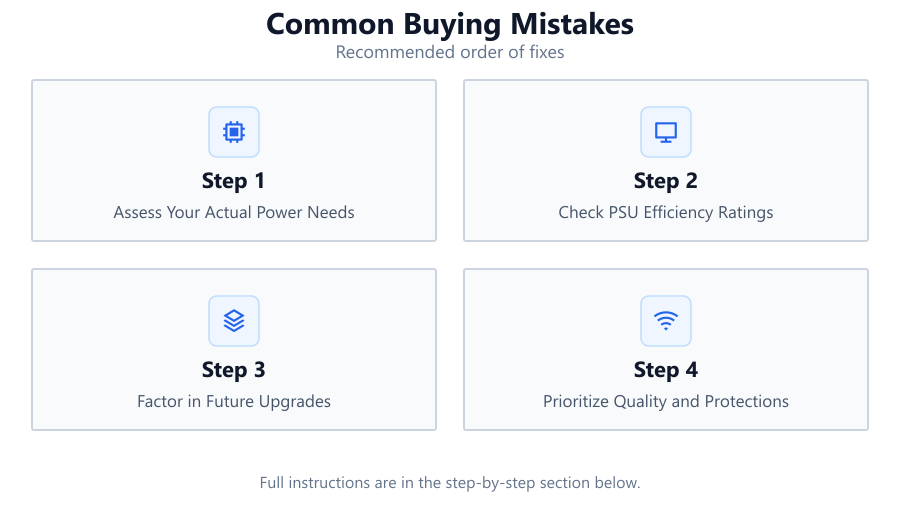
Assess Your Actual Power Needs
List all major components in your system, including CPU, GPU, storage, and peripherals. Use a reputable power calculator or add up typical draw values. Avoid using only maximum ratings from manufacturers, as real-world usage is often lower.
Check PSU Efficiency Ratings
Look for 80 Plus certification on any power supply you consider. Higher tiers like Gold or Platinum mean more energy is converted into usable power, reducing waste and heat output.
Factor in Future Upgrades
Plan for possible GPU or storage upgrades, but avoid buying a PSU rated much higher than you need. A 20-30 percent overhead is usually sufficient for most users.
Prioritize Quality and Protections
Choose a reputable brand with strong reviews. Look for features such as over-voltage, under-voltage, short-circuit, and over-temperature protection to safeguard your hardware.
Use the PSU Efficiency Calculator
Before making a purchase, enter your estimated system power draw and PSU efficiency rating into the PSU Efficiency Calculator. This will help you visualize real power usage and potential energy losses, guiding you toward the most cost-effective choice.
Comparison
| Mistake | Consequence | Best Practice |
|---|---|---|
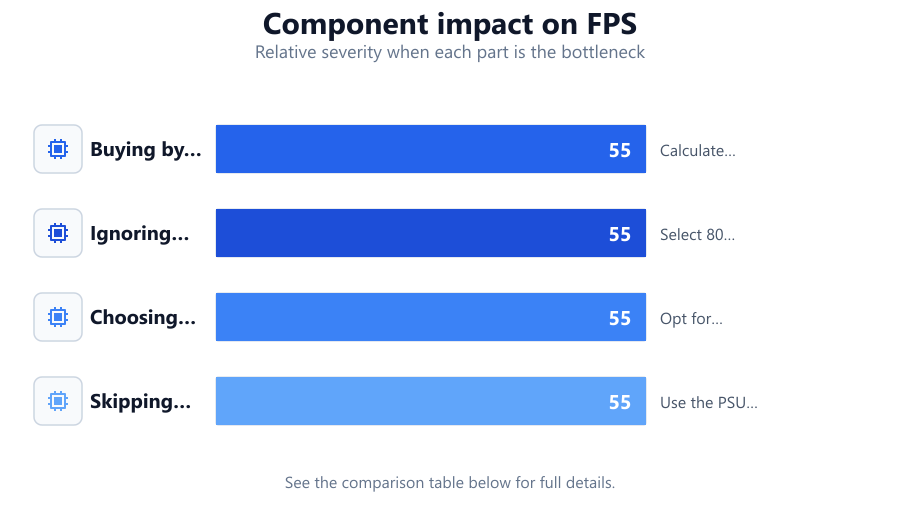
| Buying by wattage alone | Oversized PSU, energy waste | Calculate real needs, allow 20-30 percent headroom |
| Ignoring efficiency rating | Higher power bills, more heat | Select 80 Plus Gold or better for modern builds |
| Choosing unknown brands | Unstable power, risk of failure | Opt for reputable brands with strong protections |
| Skipping power calculators | Inaccurate sizing, wasted money | Use the PSU Efficiency Calculator before buying |
Common mistakes
Mistake
Overestimating wattage requirements
Fix: Use a power calculator to determine real usage and buy a PSU with appropriate overhead, not excessive capacity.
Mistake
Neglecting efficiency ratings
Fix: Prioritize PSUs with high efficiency ratings such as 80 Plus Gold or better to save on electricity and reduce heat.
Mistake
Choosing low-quality or unbranded PSUs
Fix: Research brands and models, and select units with strong reviews and built-in safety protections.
Troubleshooting
PC randomly shuts down or restarts
Likely cause: PSU cannot handle load or voltage is unstable
What to do: Check actual system draw and replace with a quality PSU that matches your needs
System runs hot or is noisy
Likely cause: Low efficiency PSU generates excess heat
What to do: Upgrade to a higher efficiency unit, such as 80 Plus Gold
Cables are a mess, airflow is blocked
Likely cause: Non-modular PSU with unused cables
What to do: Switch to a modular PSU to improve cable management and cooling
Recommendations
- Always use a PSU power calculator to estimate your needs accurately.
- Choose a PSU with an 80 Plus Gold or higher efficiency rating for modern systems.
- Buy from reputable brands that offer strong warranties and safety protections.
- Plan for modest future upgrades, but avoid overspending on unnecessary wattage.
- Use the PSU Efficiency Calculator to visualize your system's actual power draw and efficiency losses before purchasing.
Frequently asked questions
Why is PSU efficiency important?
Higher efficiency means less power wasted as heat, resulting in lower electricity bills and a longer lifespan for your components.
How much wattage overhead should I allow?
A 20-30 percent overhead above your system's actual power draw is generally sufficient for stability and future upgrades.
Can I use an old or generic PSU in a new build?
It is risky. Generic or outdated PSUs may lack modern protections and can cause instability or hardware failure. Always use a quality, up-to-date unit.
What does 80 Plus certification mean?
80 Plus certification measures how efficiently a PSU converts wall power into usable electricity. Higher tiers like Gold or Platinum indicate less energy waste.