
All Games
Granblue Fantasy Versus: Rising System Requirements
December 14, 2023Arc System Works83/100
Granblue Fantasy Versus: Rising refines the original fighter with fresh characters, revamped systems, and expanded game modes. Expect cross-platform play on PC, PlayStation, and enhanced online matches via rollback netcode.
Granblue Fantasy Versus: Rising Minimum & Recommended Specs
Minimum: AMD FX-4350, 4.2, AMD Radeon HD, 4 GB RAM. Recommended: 8 GB RAM RAM.
Minimum System Requirements
Recommended System Requirements
Announcement Trailer
Quick Performance Tips for Granblue Fantasy Versus: Rising
#1
Lower the resolution for a significant FPS boost.
#2
Disable or reduce shadow quality for better performance.
#3
Close background applications to free up system resources.
#4
Update your graphics drivers for optimal compatibility.
Granblue Fantasy Versus: Rising System Requirements FAQ
Can I run Granblue Fantasy Versus: Rising on a low-end PC?
If your PC meets the minimum requirements (AMD FX-4350/Intel Core i5-3470, Radeon HD 6870/GTX 660, 4GB RAM), you should be able to run the game at lower settings and resolution. Performance may vary. For a smoother experience, aim for the recommended specs.
What GPU do I need for Granblue Fantasy Versus: Rising?
At a minimum, you'll need an AMD Radeon HD 6870 (1 GB) or NVIDIA GeForce GTX 660 (1 GB). For better performance and higher settings, an AMD Radeon HD 7870 (2 GB) or NVIDIA GeForce GTX 680 (2 GB) is recommended.
How much RAM does Granblue Fantasy Versus: Rising need?
The game requires a minimum of 4 GB of RAM. However, 8 GB of RAM is recommended for a smoother and more stable gameplay experience, especially at higher graphical settings.
Will Granblue Fantasy Versus: Rising run on integrated graphics?
While technically possible on some higher-end integrated graphics solutions, it's unlikely to provide a playable experience. The game is designed for dedicated GPUs. Expect very low framerates and visual compromises.
What is the best graphics settings for Granblue Fantasy Versus: Rising?
The best settings depend on your hardware. Start with the 'Medium' preset and adjust from there. If you're consistently above 60 FPS, try increasing settings like texture quality and anti-aliasing. If you're struggling, lower the resolution and shadow quality.
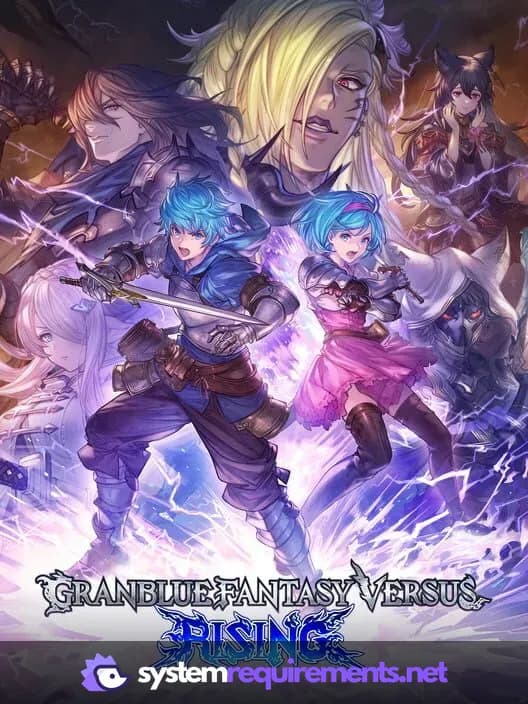
Granblue Fantasy Versus: Rising Game Info
Developer
Arc System Works
Publisher
Cygames
Release Date
December 14, 2023
Platforms
PlayStation 4, PC (Microsoft Windows), PlayStation 5
Genres
FightingRole-playing (RPG)
Game Modes
- Single player
- Multiplayer
- Co-operative
- Split screen
Granblue Fantasy Versus: Rising Screenshots




Games Similar to Granblue Fantasy Versus: Rising




Optimize Your PC for Granblue Fantasy Versus: Rising
Use our free tools to analyze and improve your gaming performance