
All Games
OMSI 2: Steam Edition System Requirements
December 11, 2013MR-Software GbR
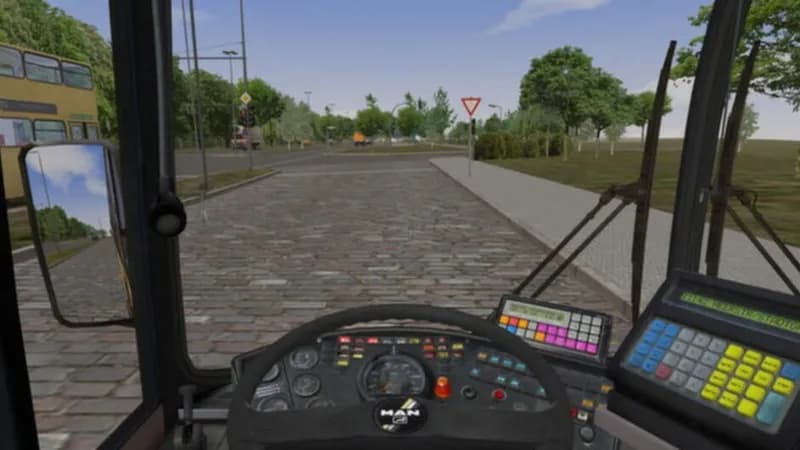
OMSI 2: Steam Edition puts you behind the wheel of a virtual bus, navigating the streets of Spandau. This sequel to the acclaimed OMSI - The Bus Simulator delivers an updated driving experience.
OMSI 2: Steam Edition Minimum & Recommended Specs
Minimum: 2.6 GHz, Geforce or AMD, 4 GB RAM. Recommended: 8 GB RAM RAM.
Minimum System Requirements
Recommended System Requirements
Upgrade Your Hardware
Trailer
Quick Performance Tips for OMSI 2: Steam Edition
#1
Reduce AI traffic for better performance.
#2
Lower texture resolution to improve FPS.
#3
Disable shadows for a significant boost.
#4
Decrease the visibility range in settings.
OMSI 2: Steam Edition System Requirements FAQ
Can I run OMSI 2: Steam Edition on a low-end PC?
While OMSI 2: Steam Edition can run on a PC meeting the minimum requirements (2.6 GHz CPU, 1GB GPU, 4GB RAM), performance may be significantly impacted, especially with detailed maps or AI traffic. Expect low frame rates and potential stuttering. Consider lowering graphics settings significantly.
What GPU do I need for OMSI 2: Steam Edition?
The minimum requirement is a Geforce or AMD card with at least 1GB of VRAM. However, for a smoother experience, especially with detailed maps and high AI traffic, a card with 2GB or more VRAM is recommended. Aim for a mid-range card from the last few generations.
How much RAM does OMSI 2: Steam Edition need?
OMSI 2: Steam Edition requires a minimum of 4GB of RAM. However, 8GB of RAM is highly recommended, especially when using high-resolution textures, detailed maps, or a large number of AI vehicles. Insufficient RAM can lead to stuttering and crashes.
Will OMSI 2: Steam Edition run on integrated graphics?
Running OMSI 2: Steam Edition on integrated graphics is not recommended. While it might technically launch, performance will likely be very poor, even with the lowest settings. A dedicated GPU is strongly advised for a playable experience.
What is the best graphics settings for OMSI 2: Steam Edition?
The optimal graphics settings depend on your hardware. Start with the 'Low' or 'Medium' preset and gradually increase settings like texture quality, object detail, and shadow quality until you find a balance between visual fidelity and performance. Pay close attention to settings like 'Visibility' and 'AI Traffic' as they heavily impact performance.

OMSI 2: Steam Edition Game Info
Developer
MR-Software GbR
Publisher
Aerosoft GmbH
Release Date
December 11, 2013
Platforms
PC (Microsoft Windows)
Genres
Simulator
Game Modes
- Single player
OMSI 2: Steam Edition Screenshots









Optimize Your PC for OMSI 2: Steam Edition
Use our free tools to analyze and improve your gaming performance