
All Games
The Sims 3: Seasons System Requirements
November 13, 2012Maxis84/100
The Sims 3: Seasons introduces dynamic weather, seasonal activities, and themed festivals, changing gameplay throughout the year. Sims can now experience activities like swimming, snowboarding, and trick-or-treating alongside unique seasonal events and decorations.
The Sims 3: Seasons Minimum & Recommended Specs
Minimum: Intel Pentium 4, Nvidia GeForce FX, 1 GB RAM. Recommended: 2 GB RAM RAM.
Minimum System Requirements
Recommended System Requirements
Trailer
Quick Performance Tips for The Sims 3: Seasons
#1
Lower graphics settings for better performance.
#2
Close other programs while playing.
#3
Update your graphics drivers.
#4
Limit the number of Sims in your household.
The Sims 3: Seasons System Requirements FAQ
Can I run The Sims 3: Seasons on a low-end PC?
If your PC meets the minimum requirements (Intel Pentium 4 2.0GHz / AMD Athlon XP 2000+, Nvidia GeForce FX 5900 / ATI Radeon 9500, 1 GB RAM), you *might* be able to run it, but expect low graphics settings and potentially lag. Meeting the recommended specs (Intel Core 2 Duo / AMD Athlon 64 X2, Nvidia GeForce 6800 / ATI Radeon X1600, 2 GB RAM) will provide a smoother experience.
What GPU do I need for The Sims 3: Seasons?
At a minimum, you'll need an Nvidia GeForce FX 5900 or ATI Radeon 9500. For a better experience, an Nvidia GeForce 6800 or ATI Radeon X1600 is recommended.
How much RAM does The Sims 3: Seasons need?
The game requires at least 1 GB of RAM to run. However, 2 GB of RAM is recommended for smoother gameplay, especially with larger families or more Seasons content.
Will The Sims 3: Seasons run on integrated graphics?
It's unlikely. Integrated graphics cards are generally not powerful enough to run The Sims 3: Seasons smoothly. You'll likely experience significant lag and graphical issues, even on the lowest settings. A dedicated graphics card is highly recommended.
What is the best graphics settings for The Sims 3: Seasons?
If you meet the recommended specs, you can likely run the game on medium to high settings. If you're closer to the minimum specs, start with the lowest settings and gradually increase them until you find a balance between visual quality and performance. Disabling advanced rendering options like shadows and reflections can also help.
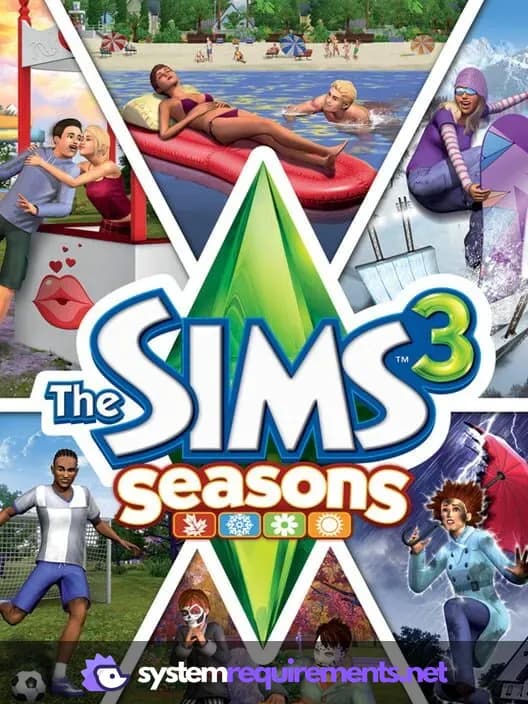
The Sims 3: Seasons Game Info
Developer
Maxis
Publisher
Electronic Arts
Release Date
November 13, 2012
Platforms
PC (Microsoft Windows), Mac
Genres
Role-playing (RPG)SimulatorAdventure
Game Modes
- Single player
The Sims 3: Seasons Screenshots







Optimize Your PC for The Sims 3: Seasons
Use our free tools to analyze and improve your gaming performance