
All Games
X4: Foundations System Requirements
November 30, 2018Egosoft75/100
Pilot spacecraft, command fleets, and construct stations in a dynamic, simulated galaxy. X4: Foundations lets you forge your own path through trading, combat, and expansion.
X4: Foundations Minimum & Recommended Specs
Minimum: Intel i5-4590 3.3GHz, NVIDIA GeForce GTX, 8 GB RAM. Recommended: 16 GB RAM RAM.
Minimum System Requirements
Recommended System Requirements
Gamescom 2020 Trailer
Quick Performance Tips for X4: Foundations
#1
Lower shadow quality for a big FPS boost.
#2
Reduce anti-aliasing for smoother gameplay.
#3
Limit ship traffic in busy sectors.
#4
Close background apps to free up RAM.
X4: Foundations System Requirements FAQ
Can I run X4: Foundations on a low-end PC?
If your PC meets the *minimum* requirements (Intel i5-4590/Ryzen3 1200, GTX 750Ti/RX 460, 8GB RAM), you can run X4: Foundations, but expect lower graphics settings and potentially lower framerates, especially in large battles or complex stations. For a smoother experience, aim for the recommended specs.
What GPU do I need for X4: Foundations?
At a minimum, you'll need an NVIDIA GeForce GTX 750Ti or AMD Radeon RX 460. For a better experience with higher settings and framerates, an NVIDIA GeForce GTX 1070 or AMD Radeon RX 580 is recommended.
How much RAM does X4: Foundations need?
X4: Foundations requires at least 8 GB of RAM to run. However, 16 GB of RAM is highly recommended for smoother performance, especially when dealing with large fleets, complex economies, and extensive station building.
Will X4: Foundations run on integrated graphics?
While technically possible, running X4: Foundations on integrated graphics is *not recommended*. The game is graphically demanding, and integrated graphics cards typically lack the necessary power for a playable experience. Expect very low framerates and graphical glitches.
What is the best graphics settings for X4: Foundations?
The 'best' settings depend on your hardware. If you meet the recommended specs, start with 'High' and adjust from there. If you meet the minimum, try 'Medium' or 'Low'. Pay attention to settings like shadows, reflections, and anti-aliasing, as they significantly impact performance.

X4: Foundations Game Info
Developer
Egosoft
Publisher
Egosoft
Release Date
November 30, 2018
Platforms
Linux, PC (Microsoft Windows)
Genres
SimulatorStrategy
Game Modes
- Single player
X4: Foundations Screenshots


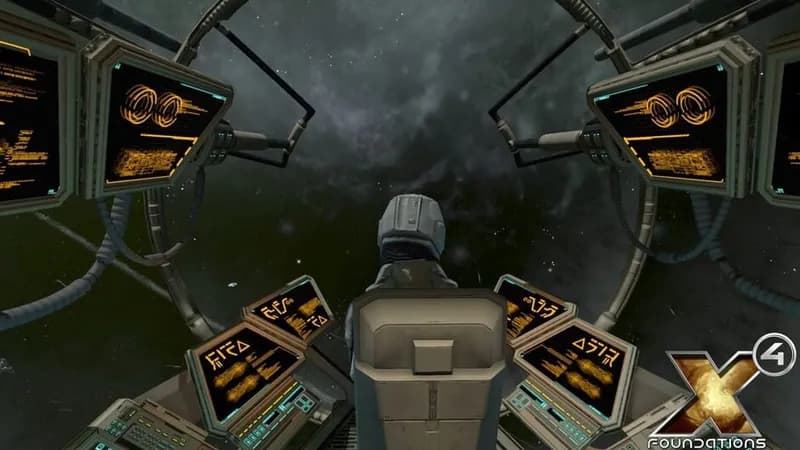






Optimize Your PC for X4: Foundations
Use our free tools to analyze and improve your gaming performance