
Guide
Optimization Guide
Unlock efficient backup strategies with this optimization guide. Learn how to precisely calculate storage needs and avoid wasted space using the Backup Storage Calculator.
Updated 2026-07-05
Understanding Backup Storage Optimization
Properly optimizing your backup storage is essential for data safety and cost efficiency. Many individuals and businesses either overestimate or underestimate their backup needs, leading to unnecessary expense or data loss. This optimization guide will help you make data-driven decisions that ensure your backups are both reliable and efficient.
When planning your backup strategy, the key factors include data type, frequency of backups, and retention periods. The Backup Storage Calculator is designed to simplify these calculations, taking the guesswork out of the process. By inputting your specific data types, expected growth, and retention settings, the tool provides a precise estimate of the total storage required for your setup.
This guide covers the critical steps in optimizing backup storage, from initial assessment to ongoing monitoring. Whether you are managing personal files or enterprise datasets, these methods will help you avoid common pitfalls and maintain a lean, effective backup environment.
Detailed Strategies for Backup Storage Optimization
To fully optimize your backup storage, you need a comprehensive understanding of your data landscape. Begin by analyzing the types of files you need to protect: documents, databases, media, and system images all have different storage profiles and growth patterns. Next, consider your backup schedule. Daily, weekly, and monthly backups all impact storage needs differently, especially when combined with retention policies.
Using the Backup Storage Calculator, you can input these variables to get an accurate forecast of your total storage requirement. This allows you to adjust your backup frequency and retention length to balance data safety and storage costs. For example, reducing retention from 12 months to 6 months can cut storage use without compromising recovery objectives.
Regularly revisit your storage calculations as your data grows or business needs change. Automation tools and deduplication can also enhance your optimization efforts, ensuring you never pay for more storage than you need. The goal is to create a backup environment that is both secure and cost-effective, leveraging the Backup Storage Calculator to stay ahead of data growth and infrastructure changes.
Step-by-step
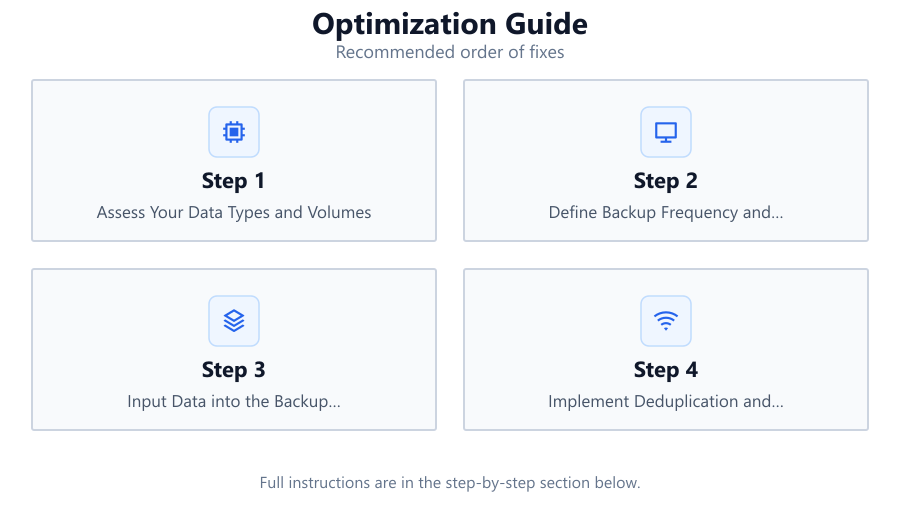
Assess Your Data Types and Volumes
Start by listing all data types to be backed up, such as documents, images, videos, databases, and system files. Estimate the current volume for each category and note expected growth rates. This baseline assessment is critical for accurate storage planning.
Define Backup Frequency and Retention Policies
Decide how often you need to back up each data type and for how long you must retain past copies. Align these policies with compliance requirements and business objectives. Retention settings have a major impact on total storage needed.
Input Data into the Backup Storage Calculator
Use the Backup Storage Calculator to enter your data types, volumes, backup frequency, and retention. The tool will instantly calculate the total storage required, helping you avoid both under-provisioning and overspending.
Implement Deduplication and Compression
Apply deduplication and compression technologies to reduce redundant data and maximize available storage. Many backup solutions offer these features, further optimizing your storage footprint.
Monitor and Adjust Your Backup Strategy
Regularly review your backup storage usage and adjust your strategy as needs change. Update your calculations in the Backup Storage Calculator when adding new data sources or changing retention policies.
Comparison
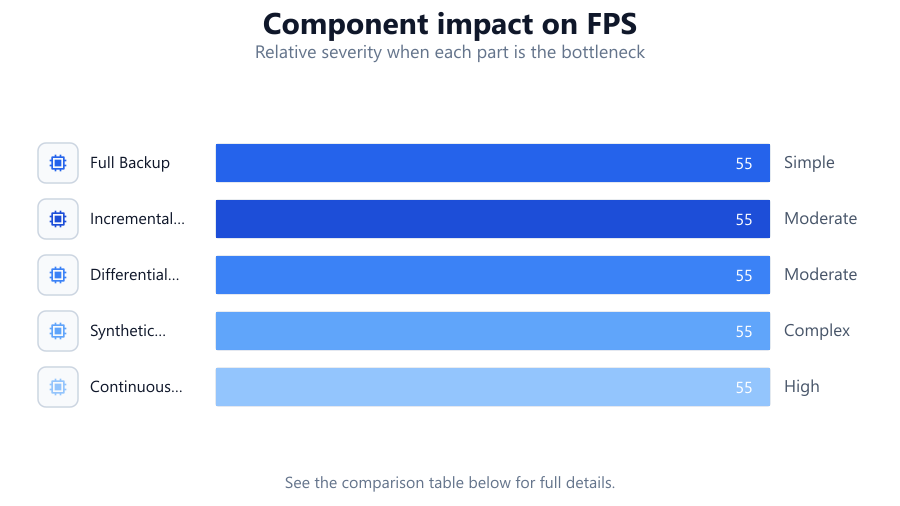
| Backup Method | Storage Efficiency | Management Complexity |
|---|---|---|
| Full Backup | Low | Simple |
| Incremental Backup | High | Moderate |
| Differential Backup | Medium | Moderate |
| Synthetic Full Backup | High | Complex |
| Continuous Data Protection | Very High | High |
Common mistakes
Mistake
Overestimating required storage by not accounting for deduplication.
Fix: Factor in deduplication and compression when calculating storage needs using the Backup Storage Calculator.
Mistake
Setting overly long retention periods.
Fix: Review compliance and recovery needs to set practical retention policies that do not inflate storage use.
Mistake
Neglecting to reassess storage needs as data grows.
Fix: Schedule regular reviews and update your calculations in the Backup Storage Calculator to stay current.
Mistake
Ignoring the backup of rarely changed or static data.
Fix: Identify static data and move it to archival storage with less frequent backups to optimize space.
Troubleshooting
Storage fills up faster than anticipated.
Likely cause: Retention settings are too long or backup frequency is too high.
What to do: Recalculate storage needs with the Backup Storage Calculator and adjust retention or frequency accordingly.
Backups are slow or fail due to lack of space.
Likely cause: Insufficient storage provisioned for actual backup size.
What to do: Use the Backup Storage Calculator to accurately size storage based on current data and growth.
Unexpected storage costs or overage charges.
Likely cause: Over-provisioning due to outdated calculations or data growth.
What to do: Regularly update your data inputs in the Backup Storage Calculator to avoid surprises.
Recommendations
- Always use the Backup Storage Calculator for precise sizing before purchasing storage.
- Review backup schedules and retention policies every quarter to ensure ongoing optimization.
- Implement deduplication and compression to maximize storage efficiency.
- Automate backup monitoring to detect and resolve storage issues proactively.
- Separate archival data from frequently-changed data to reduce unnecessary backups.
Frequently asked questions
How often should I reassess my backup storage requirements?
Reevaluate your storage needs at least quarterly or whenever you add new data sources or change retention policies.
Does deduplication really make a difference in storage optimization?
Yes, deduplication can significantly reduce storage usage by eliminating redundant data, which is especially important for frequent backups.
What is the best way to choose a retention policy?
Base retention settings on compliance requirements and recovery needs. Avoid keeping backups longer than necessary to save space.
Can the Backup Storage Calculator account for future data growth?
Yes, you can input estimated data growth rates into the Backup Storage Calculator to project future storage needs accurately.