
Guide
Optimization Guide
Unlock the full potential of your NAS setup with this comprehensive optimization guide. Learn to maximize usable storage, select the right RAID, and avoid common pitfalls using the NAS Storage Calculator.
Updated 2026-07-05
NAS Storage Optimization Overview
Optimizing your NAS storage is essential for balancing capacity, performance, redundancy, and long-term reliability. Whether you are setting up a home media server, a small business backup solution, or a high-availability file share, making informed decisions about drive count, RAID type, and disk sizes ensures your investment pays off.
The NAS Storage Calculator is an invaluable tool for planning your build. It accurately shows how much usable, formatted storage you can expect for any given drive configuration and RAID setup. This eliminates guesswork and prevents disappointment from wasted space due to parity or redundancy.
A successful NAS optimization strategy involves more than just filling bays with big drives. You must consider your data protection needs, future expansion, and the performance impact of your choices. This guide will walk you through each critical step, highlight common mistakes, and provide actionable advice for any NAS builder.
Key Factors in NAS Storage Optimization
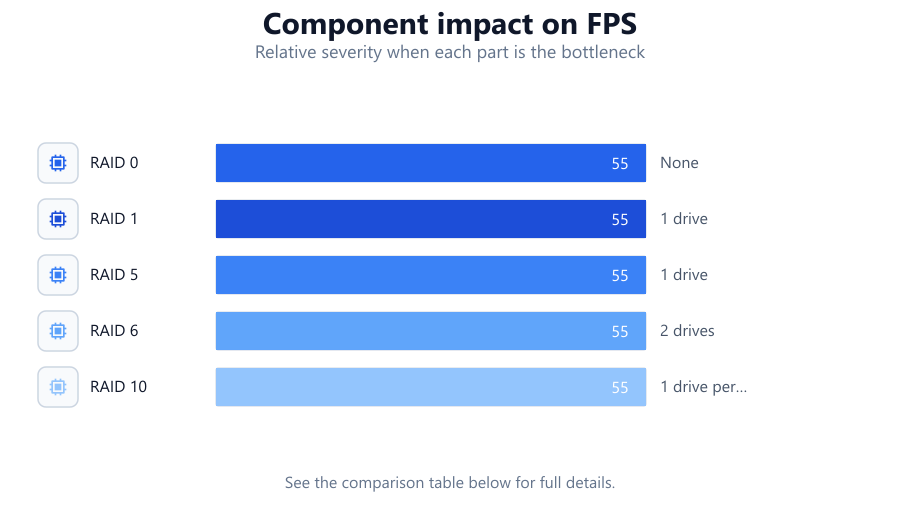
The starting point for any NAS optimization is understanding how different RAID types impact usable storage and redundancy. RAID 0 offers maximum capacity but no protection against drive failure. RAID 1 mirrors data for redundancy but sacrifices half your total space. RAID 5 and RAID 6 strike balances between capacity and fault tolerance, while RAID 10 combines mirroring and striping for speed and security.
Using the NAS Storage Calculator, input your planned drive count, individual drive sizes, and desired RAID level. The tool instantly reveals the real, formatted capacity you will actually have available. This step is crucial for avoiding over- or under-provisioning.
Beyond RAID, optimize by matching drives for performance and lifespan, planning for future expansion, and considering file system overhead. Temperature, vibration, and power supply quality all affect drive reliability. Do not forget to budget for spare drives and backups outside the NAS. By approaching your NAS build with a holistic view, you ensure both immediate and long-term storage success.
Step-by-step
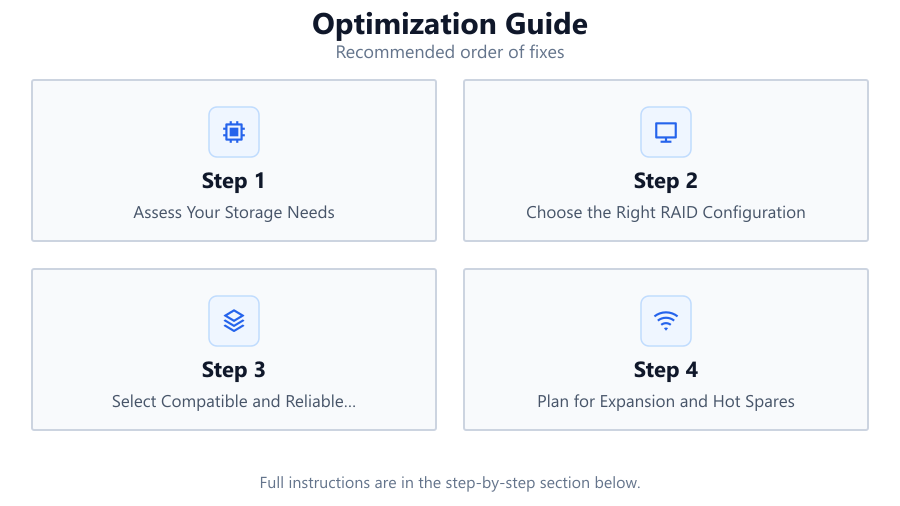
Assess Your Storage Needs
Calculate your current and projected data requirements. Consider media files, backups, virtual machines, and shared documents. Factor in growth over the next 3 to 5 years to avoid premature upgrades.
Choose the Right RAID Configuration
Evaluate the trade-offs between capacity, performance, and redundancy. Use the NAS Storage Calculator to model different RAID types with your planned drives, ensuring you get the balance you need.
Select Compatible and Reliable Drives
Pick NAS-rated drives with similar capacities and rotational speeds. Mixing drive sizes can lead to wasted space, and consumer drives may lack the endurance for continuous use.
Plan for Expansion and Hot Spares
Leave empty bays or purchase a NAS with more slots than you initially need. Allocate budget for at least one hot spare drive, which can automatically replace a failed drive in supported RAID configurations.
Monitor and Maintain Your NAS
Implement regular monitoring for drive health, temperature, and error rates. Schedule periodic checks and replace aging drives proactively to avoid data loss.
Comparison
| RAID Level | Usable Capacity (%) | Fault Tolerance |
|---|---|---|
| RAID 0 | 100 | None |
| RAID 1 | 50 | 1 drive |
| RAID 5 | N-1 drives | 1 drive |
| RAID 6 | N-2 drives | 2 drives |
| RAID 10 | 50 | 1 drive per mirror pair |
Common mistakes
Mistake
Choosing the largest drives without considering RAID limitations
Fix: Always check RAID compatibility and usable capacity with the NAS Storage Calculator before purchasing drives.
Mistake
Ignoring future expansion
Fix: Select a NAS chassis with extra bays and plan ahead for growing storage needs.
Mistake
Mixing drive models and sizes
Fix: Use drives of the same size and model to maximize efficiency and simplify maintenance.
Mistake
Not budgeting for backups outside the NAS
Fix: Remember, RAID is not a backup. Always have a separate backup plan.
Troubleshooting
Less usable capacity than expected
Likely cause: RAID overhead or mismatched drive sizes
What to do: Recalculate with the NAS Storage Calculator and ensure all drives are matched and RAID is configured correctly.
Frequent drive failures
Likely cause: Using non-NAS-rated drives or poor cooling
What to do: Replace with NAS-rated drives and improve airflow or cooling in your NAS enclosure.
Slow performance during rebuilds
Likely cause: Underpowered NAS hardware or large capacity drives
What to do: Upgrade your NAS CPU and RAM, or use smaller drives for faster rebuilds.
Unable to expand array
Likely cause: Hardware or RAID type does not support expansion
What to do: Check your NAS documentation and consider migrating to a more flexible RAID setup.
Recommendations
- Use the NAS Storage Calculator before every hardware purchase or expansion.
- Invest in NAS-grade drives and prioritize matching capacities.
- Schedule regular drive health checks and replace drives proactively.
- Plan for offsite or cloud backups in addition to your RAID array.
- Keep your NAS firmware and management software up to date for security and stability.
Frequently asked questions
How does RAID affect my usable NAS storage?
Each RAID type reserves some capacity for redundancy. Use the NAS Storage Calculator to see exactly how much usable space you will have after configuration.
Can I mix different drive sizes in my NAS?
You can, but the smallest drive capacity is used across all disks in most RAID setups, leading to wasted space. Matching drives is best for optimization.
Is RAID a replacement for regular backups?
No. RAID protects against drive failure, but not accidental deletion, ransomware, or disasters. Always maintain separate backups.
How do I plan for future NAS expansion?
Buy a NAS with more bays than you need and use the NAS Storage Calculator to model incremental upgrades. Leave room for hot spares and larger drives.