All Games

Hades System Requirements

September 17, 2020Supergiant Games94/100

As Zagreus, defy your father Hades and battle through the procedurally generated Underworld to reach the surface. Wield Olympian god-granted boons and forge relationships with mythical figures in this challenging, story-rich action game.

Hades Minimum & Recommended Specs

Minimum: Dual Core 2.4, 1GB VRAM /, 4 GB RAM. Recommended: 8 GB RAM RAM.

Minimum System Requirements

OS
Windows 7 SP1
Processor
Dual Core 2.4 GHzCPU Deals
RAM
4 GB RAMRAM Deals
Graphics Card
1GB VRAM / DirectX 10+GPU Deals
DirectX
DirectX 10
Storage
20 GB available spaceSSD Deals

Recommended System Requirements

OS
Windows 10
Processor
Quad Core 3.0 GHzCPU Deals
RAM
8 GB RAMRAM Deals
Graphics Card
2GB VRAM / DirectX 10+GPU Deals
DirectX
DirectX 10
Storage
20 GB available spaceSSD Deals

Gameplay Trailer

Quick Performance Tips for Hades

#1

Lower the resolution for a significant performance boost.

#2

Disable or lower shadow quality for better frame rates.

#3

Close unnecessary background applications.

#4

Update your graphics drivers for optimal performance.

Hades System Requirements FAQ

Can I run Hades on a low-end PC?
Hades is designed to be accessible. If your PC meets the minimum requirements (Dual Core 2.4 GHz, 1GB VRAM, 4 GB RAM), you should be able to run it, though you might need to lower the graphics settings for optimal performance.
What GPU do I need for Hades?
The minimum requirement is a GPU with 1GB of VRAM and DirectX 10+ support. For a smoother experience, a GPU with 2GB of VRAM is recommended.
How much RAM does Hades need?
Hades requires a minimum of 4 GB of RAM. For a more comfortable experience, especially with other applications running in the background, 8 GB of RAM is recommended.
Will Hades run on integrated graphics?
While not officially supported, Hades *may* run on some integrated graphics solutions, especially newer ones. However, expect lower frame rates and you may need to significantly lower the resolution and graphical settings.
What is the best graphics settings for Hades?

The 'best' settings depend on your hardware. Start with the default settings and experiment. If you experience lag, try lowering the resolution, texture quality, and shadow quality. Frame rate display can help you find the optimal balance.
Hades PC game cover art

Hades Game Info

Developer

Supergiant Games

Publisher

Netflix

Release Date

September 17, 2020

Platforms

Xbox Series X|S, PlayStation 4, PC (Microsoft Windows), iOS, PlayStation 5

Genres

Role-playing (RPG)Hack and slash/Beat 'em upAdventureIndie

Game Modes

  • Single player

Hades Screenshots

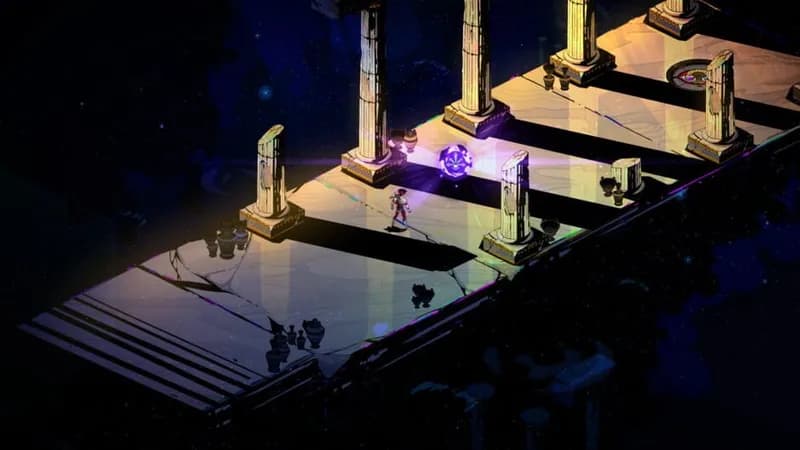
Hades gameplay screenshot 1
Hades gameplay screenshot 2
Hades gameplay screenshot 3
Hades gameplay screenshot 4
Hades System Requirements - Can Your PC Run It?