
Guide
Optimization Guide
Unlock peak cooling performance and system reliability with our comprehensive optimization guide. Learn to optimize CPU cooler fit and compatibility for any PC build.
Updated 2026-07-05
Understanding CPU Cooler Optimization
Optimizing your CPU cooling system is crucial for maintaining ideal temperatures, maximizing hardware lifespan, and ensuring reliable performance. The right CPU cooler can mean the difference between a quiet, efficient PC and one that struggles with heat and noise, especially under load.
A successful optimization process takes into account not just the cooler itself but also how it interacts with your processor, motherboard socket, and case dimensions. Factors like thermal design power (TDP), socket compatibility, and case clearance all play a major role in determining whether a specific cooler will work for your build.
With so many cooler models and PC case designs available, manually checking every compatibility detail is time-consuming and prone to error. That is where the CPU Cooler Compatibility Checker comes in. This tool streamlines the process by instantly assessing key factors such as TDP support and physical fit, helping you avoid costly mistakes and suboptimal performance.
Advanced Optimization Strategies for Cooler Compatibility
Once you have ensured basic compatibility, further optimization can yield even greater performance and acoustic benefits. Start by evaluating the airflow dynamics inside your case. Proper case ventilation can significantly enhance your cooler's efficiency. Position intake and exhaust fans to create a direct airflow path across the CPU cooler and out of the case.
Next, consider the importance of quality thermal paste application. Even the best cooler can underperform with poor thermal interface material. Use a high-quality paste and apply it evenly to minimize thermal resistance.
Take into account your CPU's TDP and overclocking plans. If you intend to overclock, select a cooler rated for higher TDP than your CPU's stock value. The CPU Cooler Compatibility Checker allows you to filter coolers by TDP ratings so you can confidently pick one that matches your goals.
Do not overlook RAM and GPU clearance. Large air coolers may overhang RAM slots or interfere with tall memory modules and graphics cards. Always check for these potential conflicts using the Compatibility Checker or detailed product specifications. Lastly, regularly monitor temperatures once your system is assembled. Use motherboard utilities or third-party tools to track CPU thermals and adjust fan curves for a perfect balance of cooling and noise.
Step-by-step
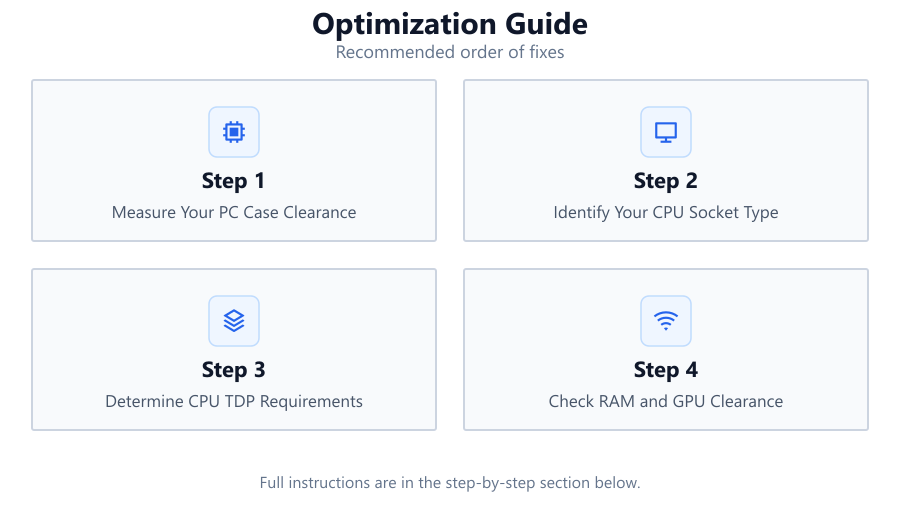
Measure Your PC Case Clearance
Begin by measuring the maximum CPU cooler height that your case can accommodate. Refer to your case manual or use a ruler to determine the space from the CPU socket to the side panel. This ensures you only consider coolers that will physically fit.
Identify Your CPU Socket Type
Find out your motherboard's CPU socket type (such as LGA1700, AM5, or LGA1200). This information is essential because coolers are designed for specific socket mounting systems. The CPU Cooler Compatibility Checker can quickly match your socket with compatible coolers.
Determine CPU TDP Requirements
Check your processor’s TDP rating, which indicates its heat output. Choose a cooler that supports at least this TDP, or higher if you plan to overclock. The Compatibility Checker lets you filter coolers by TDP support for accurate recommendations.
Check RAM and GPU Clearance
Ensure that the cooler you select will not obstruct your RAM slots or GPU. Some large tower coolers or AIO radiator placements can block access to memory or PCIe slots. Use the Compatibility Checker to visualize and confirm these clearances.
Test and Adjust Fan Curves
After installation, monitor your CPU temperatures and adjust fan curves for optimal cooling and noise levels. Use motherboard BIOS or software utilities to fine-tune fan speeds according to your workload and temperature targets.
Comparison
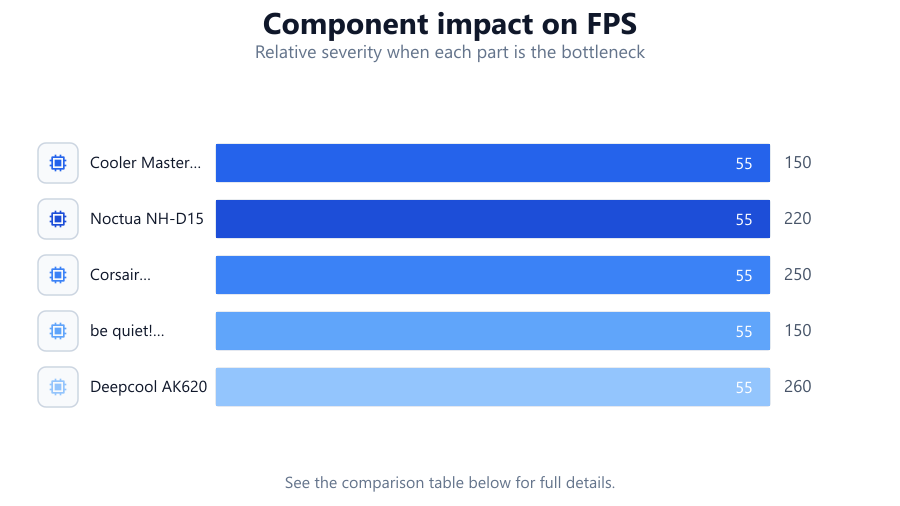
| Cooler Model | Socket Support | Max TDP (W) |
|---|---|---|
| Cooler Master Hyper 212 | LGA1700, AM4, LGA1200 | 150 |
| Noctua NH-D15 | LGA1700, AM5, LGA1200 | 220 |
| Corsair H100i RGB Platinum | LGA1700, AM5, LGA1200 | 250 |
| be quiet! Pure Rock 2 | LGA1700, AM4, LGA1200 | 150 |
| Deepcool AK620 | LGA1700, AM5, LGA1200 | 260 |
Common mistakes
Mistake
Ignoring case height restrictions
Fix: Always measure your case clearance before selecting a cooler. Use the Compatibility Checker to filter out incompatible options.
Mistake
Overlooking socket compatibility
Fix: Verify that your chosen cooler supports your motherboard's socket. The CPU Cooler Compatibility Checker can help confirm this instantly.
Mistake
Choosing a cooler with insufficient TDP rating
Fix: Select a cooler rated for your CPU’s TDP or higher, especially if overclocking is planned.
Mistake
Not checking RAM and GPU clearance
Fix: Check product dimensions and use compatibility checking tools to avoid interference with other components.
Troubleshooting
High CPU temperatures after installation
Likely cause: Improper cooler mounting or poor thermal paste application
What to do: Re-seat the cooler and reapply high-quality thermal paste in a thin, even layer.
CPU cooler does not fit inside the case
Likely cause: Cooler height exceeds case clearance
What to do: Measure your case and use the CPU Cooler Compatibility Checker to select a slimmer model.
RAM slots blocked by air cooler
Likely cause: Large tower cooler overhangs memory slots
What to do: Opt for a low-profile cooler or ensure RAM clearance with the Compatibility Checker before purchase.
Loud fan noise under load
Likely cause: Aggressive fan curve or inadequate cooling capacity
What to do: Adjust fan curves in BIOS or software and consider upgrading to a cooler with higher TDP support.
Recommendations
- Always begin component selection with a compatibility check to avoid costly returns or system downtime.
- Use the CPU Cooler Compatibility Checker for an instant, accurate assessment of fit and support before every cooler purchase.
- Invest in quality thermal paste and apply it correctly for maximum thermal transfer.
- Regularly monitor system temperatures and adjust fan curves for a balance between cooling performance and noise.
- If planning to overclock, choose a cooler with extra TDP headroom to ensure stability and longevity.
Frequently asked questions
Why is CPU cooler compatibility important?
Ensuring compatibility prevents installation issues, overheating, and hardware damage. It also maximizes cooling efficiency and system reliability.
How does the CPU Cooler Compatibility Checker help?
This tool cross-references your CPU, socket, and case dimensions to recommend coolers that will fit and perform optimally, saving time and avoiding mistakes.
Can I use any cooler with my processor?
No, you must match the cooler to your CPU socket type, TDP requirements, and case clearance. Using an incompatible cooler can lead to fit issues or overheating.
What should I do if my cooler blocks RAM or GPU slots?
Choose a low-profile cooler or change the cooler orientation if possible. The Compatibility Checker can help you select a model that avoids these conflicts.