
Guide
Troubleshooting Guide
Having trouble fitting your CPU cooler? This troubleshooting guide helps you identify and solve compatibility issues, so your PC stays cool and stable.
Updated 2026-07-05
Understanding CPU Cooler Compatibility Issues
Building or upgrading a PC often seems straightforward, but cooler fitment issues can halt your progress. From unexpected mounting problems to clearance conflicts, a range of factors can prevent your CPU cooler from sitting correctly. These issues may lead to overheating, noisy operation, or even hardware damage if left unresolved.
Most compatibility errors stem from mismatched sockets, insufficient case clearance, or neglecting TDP requirements. Before you buy or install a new CPU cooler, it is crucial to assess whether it truly fits with your motherboard, case, and processor. The CPU Cooler Compatibility Checker is designed specifically for this: it evaluates socket type, TDP, and available space to prevent costly mistakes.
In this troubleshooting guide, we will cover the most common fitment and installation problems, walk you through diagnostic steps, and provide actionable solutions. Whether you are struggling with a cooler that will not mount or a system that overheats despite a recent upgrade, you will find the guidance you need here.
Diagnosing and Resolving Cooler Fitment Problems
Begin by identifying the symptoms: Is your cooler not mounting, or is the system running hot after installation? Each symptom points to a specific type of compatibility issue. For example, if the backplate does not align, you may have the wrong socket bracket. If the cooler blocks memory slots, your heatsink may be too large for your motherboard layout.
Always cross-reference your CPU, motherboard socket, and case specifications before installation. The CPU Cooler Compatibility Checker simplifies this by letting you input your components and instantly see if your chosen cooler will fit. This tool checks for mounting support, TDP headroom, and spatial clearance.
If you discover a problem after installation, do not panic. Most issues can be fixed with small adjustments or by swapping brackets. In rare cases, you may need a different cooler or case. Use this guide to systematically address symptoms, find their root causes, and apply proven fixes. By following best practices and using compatibility tools, you can avoid frustration and ensure your upgraded system runs reliably.
Step-by-step
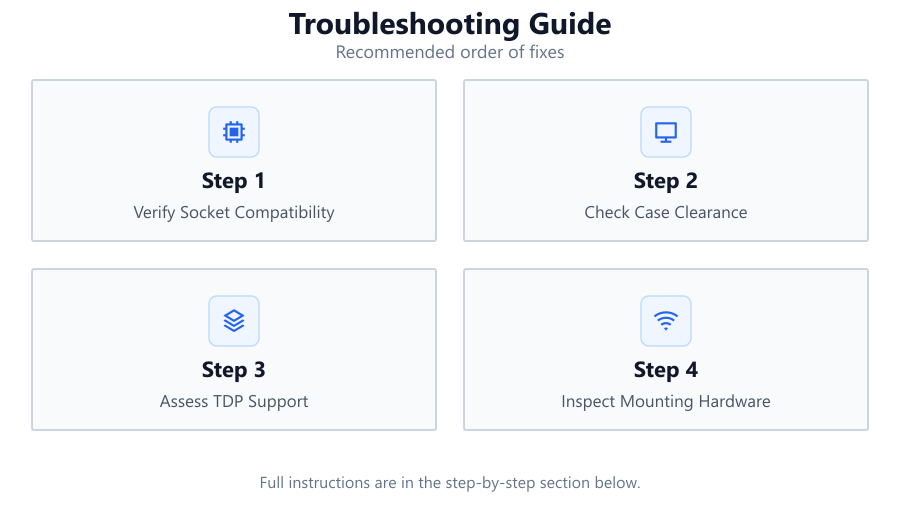
Verify Socket Compatibility
Check your CPU and motherboard socket type. Ensure the cooler supports this socket by consulting the manufacturer specifications or using the CPU Cooler Compatibility Checker for a quick confirmation.
Check Case Clearance
Measure the available height and width inside your PC case. Compare these dimensions with the cooler’s specifications, ensuring there is enough space for both the heatsink and any attached fans.
Assess TDP Support
Compare your processor’s TDP (thermal design power) to the maximum TDP rating supported by your cooler. If the cooler is underpowered, your CPU may overheat or throttle under load.
Inspect Mounting Hardware
Lay out all brackets, screws, and backplates before starting installation. Confirm you have the correct set for your socket. If anything is missing or does not align, contact the cooler manufacturer.
Test Fit Before Final Assembly
Place the cooler in the case without applying thermal paste. Check for interference with RAM, GPU, or motherboard heatsinks. Make adjustments as needed before final installation.
Comparison
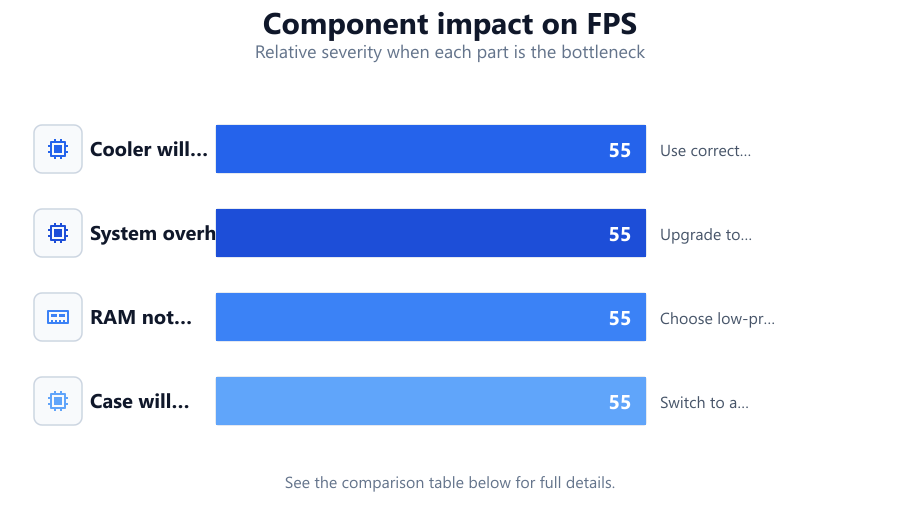
| Issue | Potential Cause | Resolution |
|---|---|---|
| Cooler will not mount | Incompatible socket bracket | Use correct bracket or adapter |
| System overheating | Insufficient TDP support | Upgrade to higher-TDP cooler |
| RAM not fitting | Cooler overhangs DIMM slots | Choose low-profile RAM or smaller cooler |
| Case will not close | Cooler is too tall | Switch to a lower-profile cooler |
Common mistakes
Mistake
Ignoring socket compatibility
Fix: Always check cooler and motherboard socket types before purchase using the CPU Cooler Compatibility Checker.
Mistake
Overlooking case dimensions
Fix: Measure your case and compare with the cooler’s specs to ensure proper clearance.
Mistake
Using insufficient mounting pressure
Fix: Follow the manufacturer’s torque or tightening sequence to ensure even contact with the CPU.
Troubleshooting
Cooler does not fit onto motherboard
Likely cause: Wrong mounting bracket or socket incompatibility
What to do: Check the socket type and install the correct mounting hardware as per the cooler manual.
CPU temperatures are unusually high after installation
Likely cause: Cooler TDP is too low for the CPU or poor mounting contact
What to do: Upgrade to a cooler with higher TDP support and reinstall using the correct amount of thermal paste.
RAM modules blocked by cooler
Likely cause: Large air cooler overhangs DIMM slots
What to do: Switch to low-profile RAM or use a more compact CPU cooler.
Recommendations
- Double-check all component specifications before purchase or installation.
- Use the CPU Cooler Compatibility Checker to quickly verify fit and avoid common mistakes.
- Keep your motherboard manual and cooler installation guide nearby for reference.
- Test-fit components before applying thermal paste to avoid unnecessary mess and rework.
- If in doubt, consult manufacturer support or community forums for specific compatibility questions.
Frequently asked questions
How do I know if a CPU cooler will fit my case?
Check your case’s maximum CPU cooler height and compare it to the cooler’s dimensions. Use the CPU Cooler Compatibility Checker for a fast, accurate assessment.
Why is my CPU cooler not mounting properly?
This is usually due to socket incompatibility or missing mounting hardware. Confirm your socket type and use the included brackets for your specific platform.
Can a cooler with lower TDP rating damage my CPU?
While a low-TDP cooler may not directly damage your CPU, it can cause thermal throttling or overheating, which may reduce performance or, in rare cases, cause long-term issues.
What should I do if my RAM is blocked by my CPU cooler?
Consider switching to low-profile RAM sticks or using a more compact CPU cooler to ensure proper clearance.