
Guide
Optimization Guide
Discover proven techniques to optimize your file downloads. This optimization guide shows you how to use the Download Time Calculator to predict and speed up transfers.
Updated 2026-07-05
Understanding Download Optimization
Efficient file downloading is essential whether you are grabbing software, games, or large media files. Slow downloads waste time and can interrupt workflows. This optimization guide helps you take control by offering actionable tips and tools to achieve the best possible download performance.
The Download Time Calculator is a valuable resource that estimates how long a file will take to download based on your connection speed and file size. By knowing your estimated download time in advance, you can set realistic expectations and plan accordingly.
Many factors impact your download speed, such as network congestion, hardware limitations, and even the time of day. Understanding these variables is the first step in optimizing your downloads for maximum efficiency.
Strategies to Optimize Your Download Speeds
To get the most from your internet connection, you need a combination of smart practices and the right tools. Start by measuring your current speeds using trusted speed test services. Next, use the Download Time Calculator to see how long your download should take under ideal conditions. This comparison allows you to spot bottlenecks and inefficiencies.
Hardware also plays a significant role. Ensure your router is up to date and positioned optimally within your space. If possible, use a wired Ethernet connection instead of Wi-Fi for large downloads, as this typically provides more stable and faster speeds.
Pay attention to background applications and devices sharing your network. Streaming, cloud backups, and online gaming can all compete for bandwidth. Schedule major downloads during off-peak hours or when other devices are idle. Finally, keep your operating system and network drivers updated to prevent software-related slowdowns.
Step-by-step
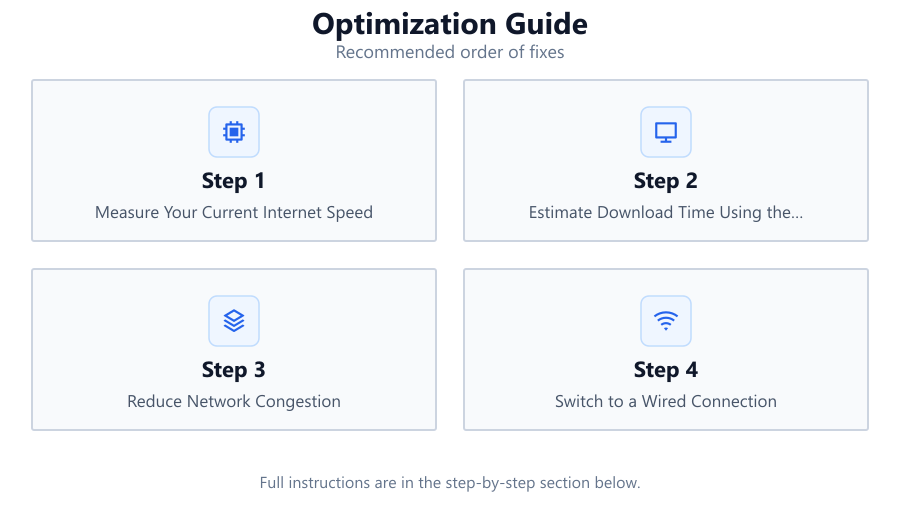
Measure Your Current Internet Speed
Before optimizing, use a reliable speed test tool to determine your real-world download and upload speeds. This gives you a benchmark for comparison.
Estimate Download Time Using the Calculator
Enter your file size and internet speed into the Download Time Calculator. Note the estimated hours, minutes, and seconds required for your download.
Reduce Network Congestion
Pause or schedule other bandwidth-heavy activities like streaming or cloud syncing during large downloads to ensure maximum available bandwidth.
Switch to a Wired Connection
If possible, connect your device directly to your router with an Ethernet cable. Wired connections are generally faster and more stable than Wi-Fi.
Update Firmware and Drivers
Regularly update your router firmware and network drivers. Outdated software can limit speeds and cause compatibility issues.
Optimize Router Placement
Place your router in a central, open location. Avoid physical obstructions and interference from other electronics to improve Wi-Fi performance.
Comparison
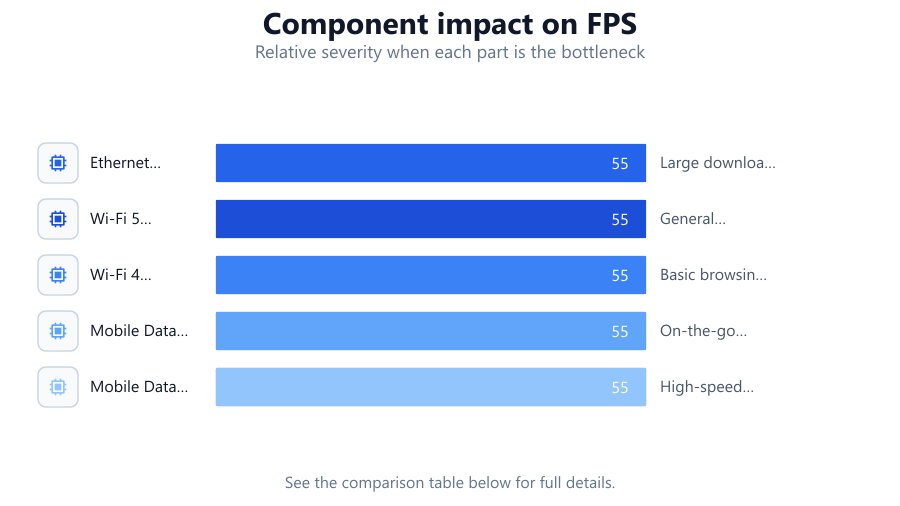
| Connection Type | Typical Speed (Mbps) | Ideal Use Case |
|---|---|---|
| Ethernet (Wired) | 100-1000 | Large downloads, gaming, streaming |
| Wi-Fi 5 (802.11ac) | 50-400 | General browsing, HD streaming |
| Wi-Fi 4 (802.11n) | 10-100 | Basic browsing, small files |
| Mobile Data (4G LTE) | 10-50 | On-the-go downloads, small files |
| Mobile Data (5G) | 50-1000 | High-speed downloads, mobile gaming |
Common mistakes
Mistake
Ignoring background network activity
Fix: Check for hidden applications or devices using bandwidth and pause unnecessary network activities during downloads.
Mistake
Assuming Wi-Fi speed matches wired speed
Fix: Test both connections. Use Ethernet for critical or large downloads whenever possible.
Mistake
Not updating router firmware or network drivers
Fix: Regularly check for and install updates to your networking hardware and device drivers.
Mistake
Overlooking ISP speed fluctuations
Fix: Monitor speeds at different times of day. Contact your ISP if you consistently receive lower speeds than advertised.
Troubleshooting
Downloads are much slower than estimated by the Download Time Calculator
Likely cause: Background applications or devices are consuming bandwidth
What to do: Pause unnecessary apps, disconnect idle devices, and retry the download.
Wi-Fi signal drops or is unstable during downloads
Likely cause: Router placement or interference from other electronics
What to do: Move your router to a central, unobstructed location and keep it away from other electronics.
Speed test results differ greatly from expected speeds
Likely cause: Outdated hardware or ISP throttling
What to do: Update your router and drivers. If speeds remain low, contact your ISP for support.
Frequent download interruptions or failures
Likely cause: Unstable network connection or faulty cables
What to do: Switch to a wired connection, replace cables, or try a different network port.
Recommendations
- Use the Download Time Calculator before starting large downloads to set expectations.
- Schedule major downloads during off-peak hours for the best speeds.
- Keep networking hardware and software updated for optimal performance.
- Prefer wired connections for large or important downloads.
- Regularly monitor your internet speed to catch and resolve issues early.
Frequently asked questions
How does the Download Time Calculator help optimize downloads?
It provides an accurate estimate of download duration, allowing you to plan and troubleshoot for best performance.
Why is my download speed slower than what my ISP advertises?
Speeds can be affected by network congestion, Wi-Fi interference, hardware limitations, and background activities.
Does switching to Ethernet always improve speed?
Wired connections usually offer more stable and faster speeds compared to Wi-Fi, especially in environments with interference.
Can I use the Download Time Calculator for uploads?
While designed for downloads, you can estimate upload times by entering your upload speed and file size in the calculator.