
Guide
Troubleshooting Guide
Solve common problems with the Game Download Time & Storage Calculator. This troubleshooting guide helps you get accurate download and storage estimates every time.
Updated 2026-07-05
Understanding the Game Download Time & Storage Calculator
The Game Download Time & Storage Calculator is a handy online tool designed to estimate how long it takes to download your favorite games and whether you have enough disk space to install them. By inputting your internet speed and the game file size, you receive instant calculations that help you plan ahead.
This tool is especially useful for gamers with limited bandwidth or storage capacity. It prevents unexpected interruptions by providing precise download durations and storage requirements. If you are facing issues with the calculator, this troubleshooting guide will walk you through the most common problems and their solutions.
Whether you are getting inaccurate results or the calculator is not loading at all, understanding the root causes is the first step. In the following sections, we will break down each potential issue and provide actionable fixes so you can get back to gaming as soon as possible.
Common Issues and Solutions with Game Download Estimations
Users of the Game Download Time & Storage Calculator sometimes encounter issues such as incorrect download times, miscalculated storage space, or tool loading errors. Most of these problems can be traced to simple input mistakes, browser compatibility issues, or outdated internet speed measurements.
It is important to double-check your internet speed, as using an outdated or incorrect value can lead to misleading download estimates. Similarly, make sure you are entering the correct game file size in gigabytes or megabytes, matching the unit the tool expects. Browser extensions, cache problems, or ad blockers may sometimes interfere with the tool's operation, causing it to display errors or fail to load.
This troubleshooting guide provides a step-by-step approach to resolve these issues. By following the steps below, you can ensure the Game Download Time & Storage Calculator delivers the most accurate results, helping you avoid wasted time or failed installations.
Step-by-step
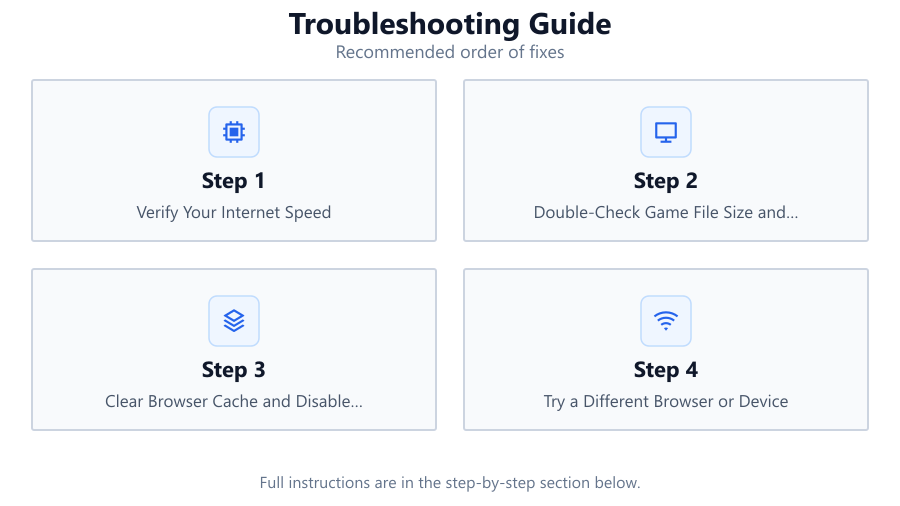
Verify Your Internet Speed
Run a fresh internet speed test on a reliable website. Use the current download speed value when inputting information into the Game Download Time & Storage Calculator.
Double-Check Game File Size and Units
Confirm the actual file size of the game, and ensure you are using the correct unit (GB or MB) as required by the calculator. Mistakes here can lead to wildly inaccurate results.
Clear Browser Cache and Disable Extensions
Clear your browser cache and temporarily disable any ad blockers or privacy extensions. These can sometimes block scripts or prevent the tool from loading correctly.
Try a Different Browser or Device
If the calculator is not working in your current browser, try accessing it from another browser or device to rule out compatibility issues.
Check for Server or Connectivity Issues
Make sure your internet connection is stable. If the Game Download Time & Storage Calculator website is down or slow, wait a few minutes and try again.
Comparison
| Issue | Possible Cause | Recommended Fix |
|---|---|---|
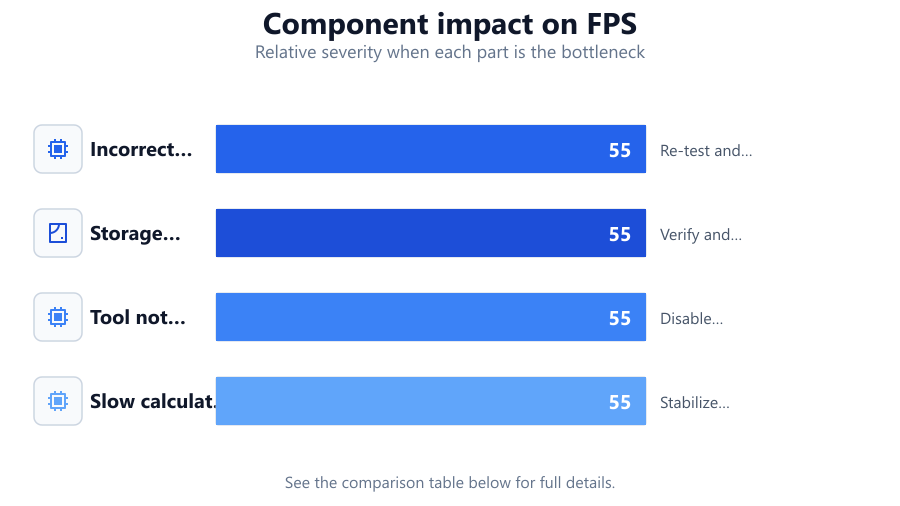
| Incorrect download time | Outdated speed input | Re-test and update speed value |
| Storage estimate off | Wrong game file size or unit | Verify and enter correct size/unit |
| Tool not loading | Browser extension conflict | Disable extensions or try another browser |
| Slow calculation | Poor internet connection | Stabilize connection and retry |
Common mistakes
Mistake
Entering internet speed in the wrong unit (Mbps vs MBps)
Fix: Always use the unit specified by the calculator, and double-check speed test results before entry.
Mistake
Using estimated rather than actual game file size
Fix: Look up the official file size from the publisher or game platform to avoid incorrect calculations.
Mistake
Ignoring browser compatibility warnings
Fix: If the tool suggests using a specific browser, switch to it for best performance.
Troubleshooting
Download time estimate is much longer than expected
Likely cause: Internet speed entered is lower than your actual speed
What to do: Re-run a speed test and enter the accurate download speed.
Calculated required storage is incorrect
Likely cause: File size entered in MB instead of GB (or vice versa)
What to do: Check the required unit and adjust your input accordingly.
Calculator page does not load or is blank
Likely cause: Browser cache or extension conflict
What to do: Clear cache, disable extensions, or try another browser.
Recommendations
- Always use the latest internet speed results for the most accurate download time estimates.
- Check the official game website or platform for up-to-date file size information.
- Bookmark the Game Download Time & Storage Calculator for quick access before every big download.
- Keep your browser updated and use a supported browser to ensure full compatibility with the calculator.
Frequently asked questions
Why does the Game Download Time & Storage Calculator show a different result than my actual download?
Real-world download speeds can fluctuate due to network congestion, server limits, or background activity. The calculator provides an estimate based on the speed you input, so always use a current and accurate speed test result.
How do I know if I have enough disk space for my game?
Enter the game’s file size into the calculator. It will tell you the required storage so you can compare it with your available disk space before starting the download.
Can browser extensions affect the calculator?
Yes. Some privacy or ad-blocking extensions can interfere with the tool's scripts. Disable these extensions and refresh the page if you encounter issues.
What is the best way to get accurate results with the Game Download Time & Storage Calculator?
Always use a recent internet speed test and the precise file size for your game. Double-check units (MB vs GB) and keep your browser up to date for best performance.