
Guide
Common Buying Mistakes
Avoid the most common buying mistakes when upgrading memory. This guide reveals pitfalls and how to use the Memory Bandwidth Calculator to make smarter, future-proof RAM choices.
Updated 2026-07-05
Understanding Common Buying Mistakes in RAM Upgrades
Upgrading your system’s memory can deliver a significant boost in performance, but it is easy to make costly mistakes during the buying process. Whether you are building a new PC or upgrading an older one, overlooking key specifications or compatibility requirements can result in wasted money and disappointing results. The Memory Bandwidth Calculator helps users estimate the maximum theoretical bandwidth of their RAM, which is a crucial factor in overall system responsiveness and multitasking ability.
One of the most common buying mistakes is assuming that higher capacity or faster-rated RAM automatically translates to real-world gains. In reality, factors like memory channel configuration, supported speeds by your motherboard and CPU, and the correct pairing of modules matter just as much as raw numbers.
If you do not account for these variables, you risk bottlenecking your system or purchasing memory your system cannot fully utilize.
Another frequent pitfall is overlooking the impact of memory timings and voltage requirements. Not all RAM sticks are created equal, even within the same DDR4 or DDR5 generation. Some modules may require manual BIOS adjustments to achieve advertised speeds or may not be compatible with your system at all. The Memory Bandwidth Calculator is an invaluable tool for understanding what your hardware can handle before making a purchase.
In-Depth: How to Identify and Avoid RAM Buying Mistakes
Let’s examine the specific mistakes buyers often make and how you can avoid them using data-driven tools. One significant error is not checking the maximum supported memory speed for your motherboard and CPU. For example, you might buy DDR5-6000 RAM, but your motherboard only supports up to DDR5-5200. This mismatch means you will not achieve the performance you paid for.
Channel configuration is another critical factor. Many users buy a single high-capacity memory stick instead of a matching pair. This decision can halve your memory bandwidth by disabling dual-channel operation, a mistake easily avoided by checking your motherboard’s specifications and using the Memory Bandwidth Calculator to compare single vs dual-channel setups.
It is also common to overlook the impact of memory rank and module density, especially on platforms that benefit from higher rank modules. Understanding these details can help you choose RAM that maximizes performance for your specific workloads, such as gaming, content creation, or scientific computing.
Finally, ignoring the differences between theoretical and real-world memory bandwidth can lead to overspending. The Memory Bandwidth Calculator provides theoretical values, but actual performance depends on your system’s workload and architecture. Use it as a planning tool alongside reviews and benchmarks to get a well-rounded view before you buy.
Step-by-step
Check Motherboard and CPU Compatibility
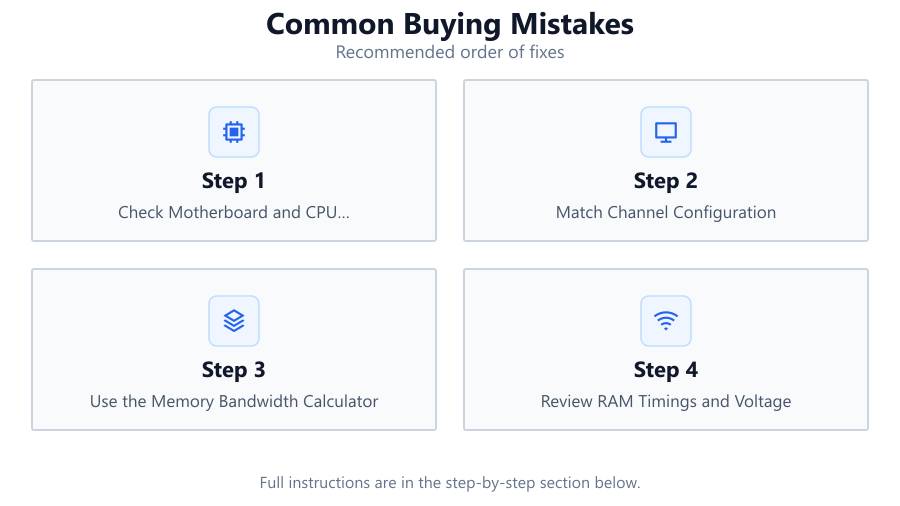
Before purchasing RAM, always verify your motherboard and CPU’s supported memory types, speeds, and maximum capacity. Consult official documentation or manufacturer websites.
Match Channel Configuration
For best bandwidth, buy RAM in pairs or sets for dual or quad channel operation. Avoid single-stick purchases unless your system only supports single channel.
Use the Memory Bandwidth Calculator
Input your RAM speed, channel count, and bus width into the Memory Bandwidth Calculator to estimate your setup’s maximum theoretical bandwidth and identify potential bottlenecks.
Review RAM Timings and Voltage
Check that your selected RAM’s timings and voltage are supported by your motherboard and CPU. Incompatible modules may not work at full speed or may require BIOS tweaks.
Factor in Real-World Performance
Compare theoretical bandwidth with real-world benchmarks for your workload. Do not spend extra on high-speed RAM if your applications will not benefit.
Comparison
| Configuration | Bandwidth (GB/s) | Compatibility Issues |
|---|---|---|
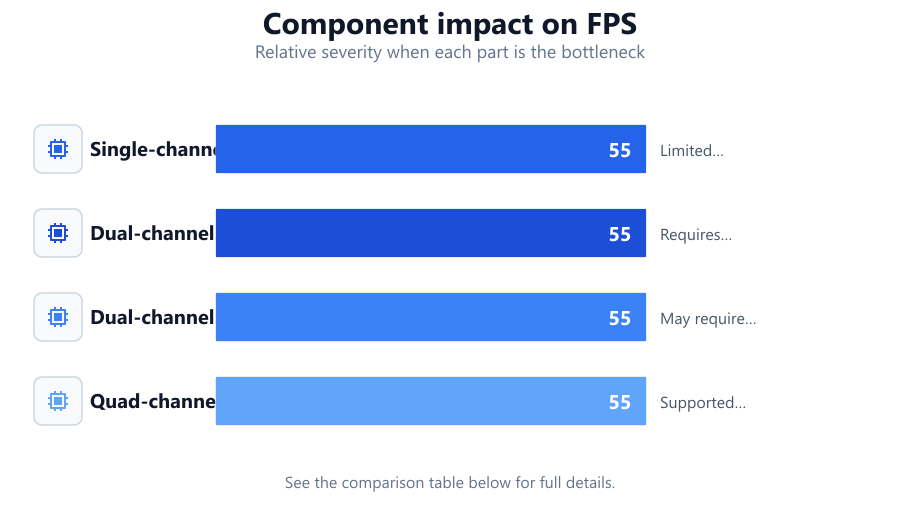
| Single-channel DDR4-3200 | 25.6 | Limited bandwidth, not ideal for multitasking |
| Dual-channel DDR4-3200 | 51.2 | Requires matching modules, check motherboard slots |
| Dual-channel DDR5-5600 | 89.6 | May require BIOS update for full speed |
| Quad-channel DDR4-3200 | 102.4 | Supported only on HEDT or server platforms |
Common mistakes
Mistake
Buying RAM with speeds unsupported by the motherboard or CPU
Fix: Always check official specs for supported memory speeds and maximum capacity before purchase.
Mistake
Purchasing single instead of dual or quad channel kits
Fix: Buy RAM in pairs or sets to maximize bandwidth and enable dual or quad channel operation.
Mistake
Ignoring memory timings, voltage, and rank
Fix: Verify timings and voltage requirements, and choose modules that match your platform for best performance and stability.
Troubleshooting
RAM not running at advertised speed
Likely cause: Motherboard or CPU does not support the rated speed, or XMP/DOCP profile not enabled.
What to do: Enable XMP/DOCP in BIOS, or use the Memory Bandwidth Calculator to confirm supported speeds.
System fails to boot after installing new RAM
Likely cause: Incompatible memory timings or voltage, or unsupported module configuration.
What to do: Reset BIOS to default, check compatibility, and ensure modules are properly seated.
Lower than expected memory bandwidth in benchmarks
Likely cause: Single-channel configuration or mismatched modules.
What to do: Install RAM in correct slots for dual or quad channel operation. Use the Memory Bandwidth Calculator to verify expected bandwidth.
Recommendations
- Research your motherboard and CPU’s memory support before buying.
- Use the Memory Bandwidth Calculator to plan upgrades and avoid bottlenecks.
- Opt for dual-channel or quad-channel kits for best performance.
- Consider real-world application needs before paying a premium for high-speed RAM.
- Always keep BIOS and firmware updated for optimal memory support.
Frequently asked questions
Does higher RAM speed always improve performance?
Not always. Performance gains from higher RAM speed depend on your CPU, motherboard, and specific applications. Use real-world benchmarks in addition to the Memory Bandwidth Calculator for planning.
What is the advantage of dual-channel memory?
Dual-channel memory doubles the available bandwidth compared to single-channel, improving multitasking and some application performance. Always install RAM in pairs to enable it.
Can I mix different RAM speeds or brands?
Mixing RAM is possible, but all modules will run at the speed of the slowest stick and may cause incompatibility issues. Matching kits are recommended for best stability and bandwidth.
How do I know if my RAM is underperforming?
Use tools like the Memory Bandwidth Calculator to estimate theoretical bandwidth, then compare with benchmark utilities. If results are much lower, check for single-channel operation, BIOS settings, or compatibility issues.