
Guide
Common Buying Mistakes
Avoid common buying mistakes when choosing an SSD. This guide reveals the most frequent errors and gives you practical strategies to make the right purchase.
Updated 2026-07-05
Understanding Common Buying Mistakes With SSDs
When shopping for an SSD, it's easy to get overwhelmed by technical jargon, flashy marketing, and a wide range of products. Many buyers fall into simple traps that can lead to wasted money, poor performance, or even premature drive failure. Understanding the most common buying mistakes is the first step toward making a smart purchase.
One of the most frequent errors is focusing solely on price or capacity, rather than evaluating real-world performance and endurance. Another is misunderstanding key specifications like TBW (Total Bytes Written) and DWPD (Drive Writes Per Day), which directly relate to how long your SSD will last under your workload. Our SSD Lifespan Calculator can help you translate these specs into actual years of use, giving you a much clearer comparison between models.
It is also critical to match your SSD choice to your actual use case. A drive that is perfect for gaming may not be ideal for content creation or server workloads. By learning about these pitfalls now, you can avoid costly mistakes and get the best performance and reliability for your needs.
How to Avoid Costly SSD Buying Errors
Let’s look closer at the mistakes buyers make and how to sidestep them. First, many shoppers believe that all SSDs are essentially the same, but the underlying NAND type (SLC, MLC, TLC, QLC), controller quality, and firmware play a huge role in durability and speed. For example, a QLC SSD may offer a low price per gigabyte but could wear out much faster if you write large amounts of data daily.
Another mistake is ignoring warranty terms and support. Some models offer only two years, while others provide five years or more. Warranty length often reflects the manufacturer's confidence in their product's endurance. Always check the warranty and the fine print, especially for cheaper drives.
Compatibility issues are also common. Not all SSDs will work optimally in all systems. Double-check your motherboard’s interface (SATA, PCIe Gen3, PCIe Gen4), form factor (2.5 inch, M.2, U.2), and NVMe support. Installing a PCIe Gen4 drive in a Gen3-only slot means you lose out on potential speed.
Finally, many people skip using tools like the SSD Lifespan Calculator to estimate actual drive lifespan before buying. This tool lets you input the TBW rating and your average daily writes, showing you how long the SSD will realistically last in your environment. Using the calculator can prevent you from choosing a drive that looks good on paper but fails early in real life.
Step-by-step
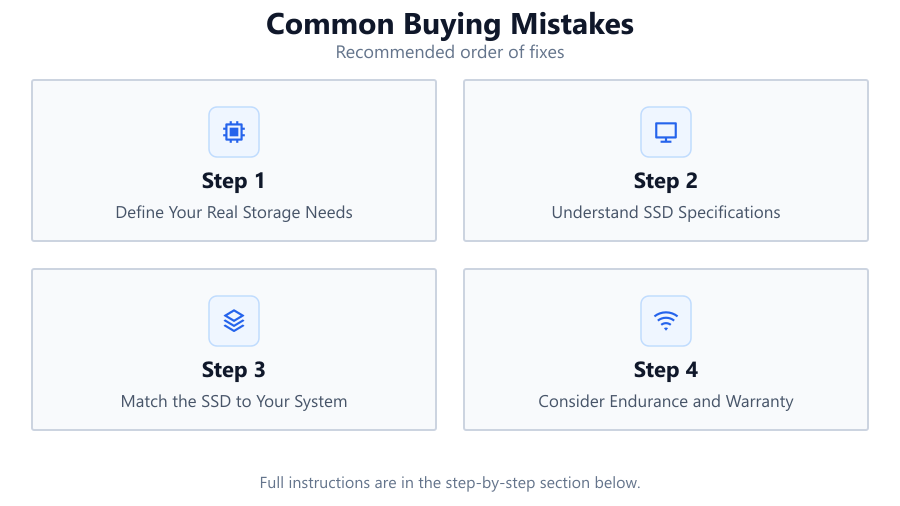
Define Your Real Storage Needs
Before shopping, consider how much storage you truly need and what you will use it for. Gamers, video editors, and office users all have different requirements. Avoid overpaying for unnecessary capacity or buying too little and running out of space quickly.
Understand SSD Specifications
Learn the meaning of TBW, DWPD, controller types, and NAND technology. Specifications like TBW tell you how much data can be written to the drive before it may fail. Use this information to compare drives accurately.
Match the SSD to Your System
Check your motherboard’s supported interfaces and form factors. Make sure the SSD you choose is compatible with your system, whether it is SATA, PCIe Gen3, or Gen4, and fits the available slot (2.5 inch, M.2, U.2).
Consider Endurance and Warranty
Look beyond capacity and speed. Endurance ratings and warranty periods are key indicators of SSD quality. Drives with higher TBW and longer warranties are built to last, especially under heavy workloads.
Use the SSD Lifespan Calculator
Input the TBW rating and your typical daily write workload into the SSD Lifespan Calculator. This will give you a realistic estimate of how many years the SSD will last, helping you make a more informed decision.
Comparison
| Specification | Mistake Example | Best Practice |
|---|---|---|
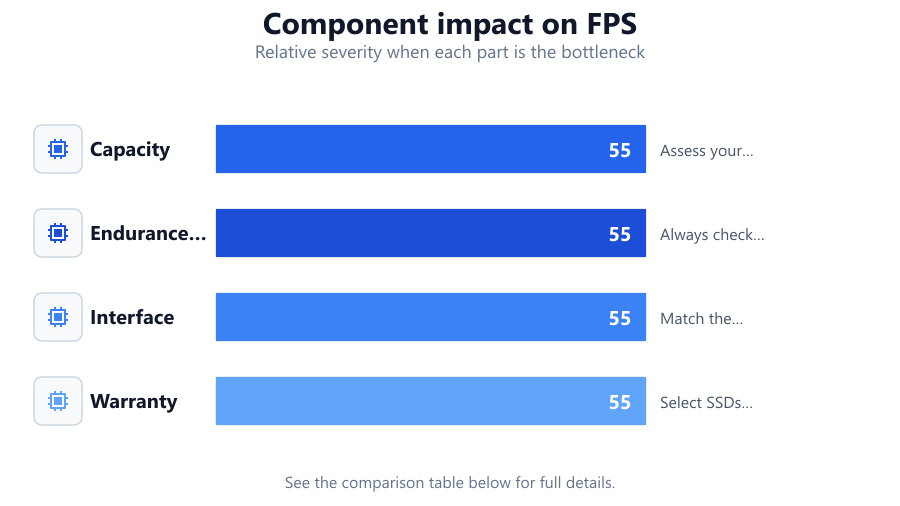
| Capacity | Buying the largest SSD you can afford without considering actual needs | Assess your real storage needs and buy accordingly |
| Endurance (TBW) | Ignoring TBW ratings when choosing an SSD | Always check TBW and use a lifespan calculator |
| Interface | Choosing a PCIe Gen4 SSD for a Gen3-only motherboard | Match the SSD interface to your system’s capabilities |
| Warranty | Opting for the cheapest SSD without checking warranty length | Select SSDs with longer warranties for peace of mind |
Common mistakes
Mistake
Prioritizing price or capacity over endurance and performance
Fix: Balance your budget by considering endurance ratings and real-world performance, not just price or size
Mistake
Misunderstanding technical specs like TBW and NAND type
Fix: Take time to learn what these specs mean and use the SSD Lifespan Calculator for practical comparisons
Mistake
Ignoring system compatibility and interface requirements
Fix: Verify your motherboard’s supported interfaces and form factors before purchasing
Mistake
Failing to check the warranty and support terms
Fix: Always review the warranty period and manufacturer support before making a final choice
Troubleshooting
SSD not detected by the system
Likely cause: Incompatible form factor or interface, or improper installation
What to do: Check that your SSD matches the motherboard slot and is properly seated
Slow performance after installation
Likely cause: Using a Gen4 SSD in a Gen3 slot, or installing in a SATA slot instead of NVMe
What to do: Confirm both your SSD and motherboard support the same interface and slot type
Drive fails within a short period
Likely cause: Low TBW rating exceeded by heavy workload
What to do: Estimate your daily writes with the SSD Lifespan Calculator before purchase to avoid this issue
Warranty denied due to improper use or unsupported system
Likely cause: Drive used outside of supported environments or warranty terms misunderstood
What to do: Always read warranty details and ensure your usage matches the manufacturer’s conditions
Recommendations
- Research SSD brands and models before buying, focusing on endurance and warranty
- Use the SSD Lifespan Calculator to estimate realistic drive lifespan based on your workload
- Choose an SSD with specifications that match your actual use case, not just the highest numbers
- Check compatibility with your system’s interface and form factor before purchasing
Frequently asked questions
What is the biggest mistake people make when buying an SSD?
The most common mistake is focusing only on price or capacity, ignoring endurance specs and compatibility with their system.
How important is the TBW rating when choosing an SSD?
TBW, or Total Bytes Written, directly affects how long your SSD will last. It is crucial for users with heavy write workloads.
Can I use a PCIe Gen4 SSD in a Gen3 motherboard?
Yes, but you will be limited to Gen3 speeds. To get the full benefit, both the SSD and motherboard must support Gen4.
How does the SSD Lifespan Calculator help me avoid buying mistakes?
By inputting your daily writes and the SSD’s TBW, the SSD Lifespan Calculator estimates how many years the drive will last, preventing you from choosing a drive that may wear out too soon.
Does warranty length really matter for SSDs?
Yes. Longer warranties often mean higher-quality components and better endurance, offering peace of mind for your investment.