
Guide
Common Buying Mistakes
Avoid the common buying mistakes that undermine your game streaming PC. Learn where most buyers slip up and how to make smarter hardware choices.
Updated 2026-07-05
Understanding Common Buying Mistakes in Streaming PC Builds
Building a streaming PC can be overwhelming, especially with rapidly evolving hardware and conflicting advice online. Many buyers fall into traps that lead to overspending or underperforming systems, jeopardizing their streaming ambitions. The key is aligning your budget and parts with your actual streaming needs, not just following trends or marketing hype.
One of the most frequent mistakes is prioritizing specs that do not significantly impact streaming quality, while neglecting essentials like CPU multi-threading, GPU encoding capabilities, or stable internet bandwidth. Another pitfall is misunderstanding the requirements for different resolutions and frame rates. For example, a setup that handles 1080p60 streaming may struggle at 4K, or even at 1080p if the wrong hardware balance is chosen.
Using tools like the Streaming PC Calculator can help you determine the exact requirements for your specific goals, but being aware of the most common buying mistakes is the first step to an optimized build.
Deep Dive: How to Avoid Costly Hardware Errors
Let’s break down the most impactful mistakes that buyers make when assembling a streaming PC. The first is over-investing in one component, such as a high-end graphics card, while ignoring CPU performance or RAM capacity. Streaming is a multi-faceted workload that demands balanced performance across CPU, GPU, RAM, and network.
Another issue is assuming that all CPUs or GPUs are equally suited for streaming. Not all chips support hardware encoding, and some budget CPUs choke under multi-tasking loads. Similarly, not all GPUs offer the same quality or efficiency for NVENC or AMD’s equivalent encoders. Even common choices like 16GB of RAM can be insufficient for heavy multitasking or high-bitrate streams.
Internet speed is often overlooked, but it is crucial for consistent stream quality. Many buyers only check download speeds, ignoring the importance of upload bandwidth and network stability. Lastly, failing to plan for future upgrades can lock you into a short-lived system, making it costly to adapt as your streaming ambitions grow. Using the Streaming PC Calculator to simulate different scenarios can help you avoid these traps and build a system with lasting value.
Step-by-step
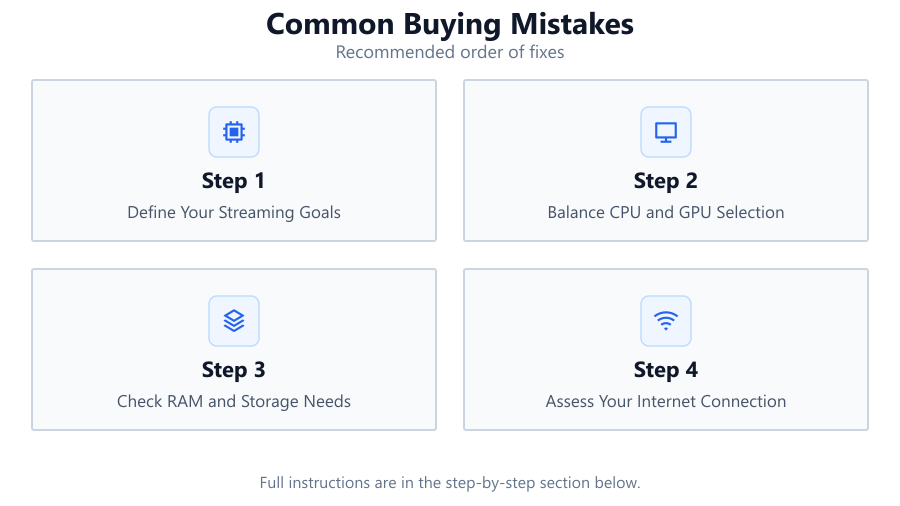
Define Your Streaming Goals
Specify your target resolution, frame rate, and game genres. Are you aiming for 720p, 1080p, or 4K streaming? This determines your minimum hardware requirements and prevents over- or under-buying.
Balance CPU and GPU Selection
Choose a CPU with strong multi-core performance and a GPU with a modern hardware encoder. Avoid over-prioritizing one at the expense of the other. Use the Streaming PC Calculator to match your workload.
Check RAM and Storage Needs
Allocate at least 16GB of RAM for typical streaming, and consider 32GB for heavy multitasking or future-proofing. Choose SSDs for fast load times and reliable game capture.
Assess Your Internet Connection
Test your upload speed and network stability. Streaming at 1080p60 often requires at least 6Mbps upload, while higher resolutions need even more. Wired connections are preferred for reliability.
Plan for Expansion and Cooling
Select a motherboard with extra slots for future upgrades, and ensure your case and cooling solutions are adequate for prolonged streaming sessions. Skimping on power supply or airflow can cause instability.
Comparison
| Component | Underpowered Build | Optimized Build |
|---|---|---|
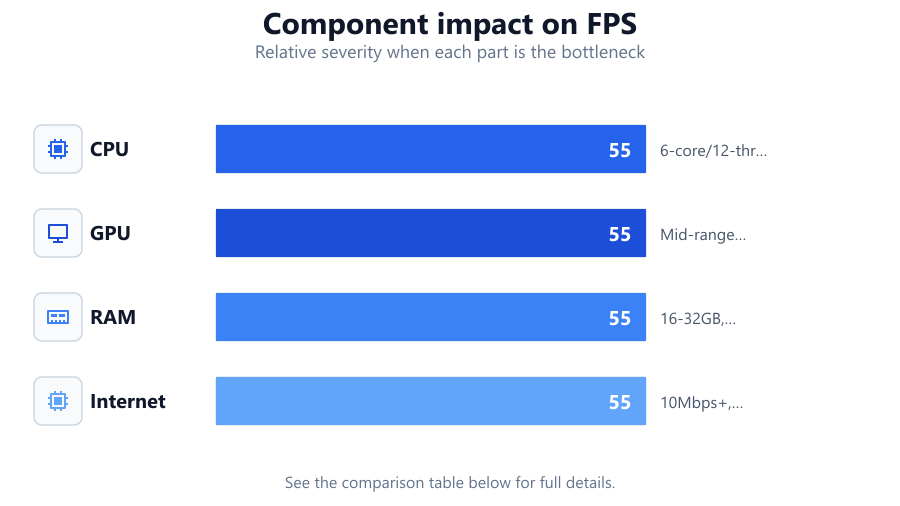
| CPU | Dual-core, no hyperthreading | 6-core/12-thread, hardware encoding |
| GPU | Entry-level, no NVENC | Mid-range or higher, latest NVENC |
| RAM | 8GB, single channel | 16-32GB, dual channel |
| Internet | 5Mbps, WiFi only | 10Mbps+, wired Ethernet |
Common mistakes
Mistake
Buying the most expensive GPU and neglecting CPU power.
Fix: Balance your budget between CPU and GPU, ensuring both meet streaming and gaming needs.
Mistake
Ignoring upload bandwidth and relying on WiFi.
Fix: Test your network stability and use wired Ethernet for streaming whenever possible.
Mistake
Choosing insufficient RAM or slow storage.
Fix: Install at least 16GB of fast RAM and use SSDs for your OS and games to ensure smooth streaming.
Troubleshooting
Stream stutters or drops frames
Likely cause: CPU or GPU is overloaded or not optimized for streaming
What to do: Use the Streaming PC Calculator to size your hardware properly and enable hardware encoding
Stream quality is poor or pixelated
Likely cause: Low upload bandwidth or incorrect encoder settings
What to do: Check your internet speed, lower your bitrate, or upgrade to a faster connection
System crashes or overheats during long streams
Likely cause: Inadequate cooling or power supply
What to do: Upgrade your cooling and ensure your PSU can handle your components
Recommendations
- Use the Streaming PC Calculator before purchasing any hardware to ensure compatibility and performance.
- Invest in a balanced build rather than focusing only on a single component.
- Prioritize a stable wired internet connection to avoid frustrating stream interruptions.
- Plan for future upgrades by choosing a motherboard with extra slots and a case with good airflow.
- Regularly monitor your system temperatures and resource usage during streams.
Frequently asked questions
How much RAM do I need for game streaming?
For most streaming setups, 16GB is the minimum recommended. If you plan to multitask heavily or stream at high resolutions, 32GB is a safer choice.
Is a dedicated streaming PC necessary?
For most casual or entry-level streamers, a single well-balanced PC is sufficient. Dedicated streaming PCs are useful for high-end, professional setups.
Why does my stream lag even with a powerful GPU?
Streaming relies heavily on CPU performance and upload speed. Ensure your CPU supports hardware encoding and your internet connection is stable.
How can the Streaming PC Calculator help me avoid buying mistakes?
The Streaming PC Calculator analyzes your streaming goals and recommends the optimal CPU, GPU, RAM, and network specs, preventing expensive mismatches.