
Guide
How to Choose the Right Hardware
Choosing the right hardware for streaming is crucial to delivering smooth, high-quality broadcasts. This guide shows you exactly what to look for in a streaming PC, so you can stream confidently at any resolution.
Updated 2026-07-05
Why Hardware Matters for Game Streaming
Game streaming puts unique demands on your PC. Not only must your system handle the game itself, but it must also encode video in real time and upload it to your streaming platform. The right hardware ensures your stream looks sharp and stays smooth, even during intense gameplay.
If your CPU, GPU, and RAM are underpowered, you may face stuttering, dropped frames, or blurry video. Fast internet is just as important. Without enough bandwidth, your viewers may experience lag or buffering, no matter how powerful your PC is.
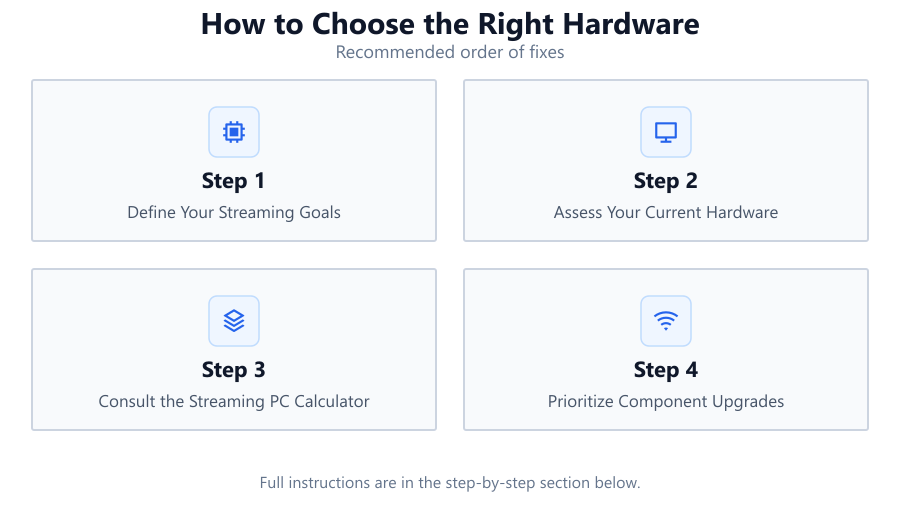
To avoid these common pitfalls, you need to balance your components based on your streaming goals. Whether you want to stream at 720p, 1080p, or even 4K, each resolution and frame rate comes with its own set of hardware requirements. Using a tool like the Streaming PC Calculator can take the guesswork out of this process by recommending the best CPU, GPU, RAM, and internet speed for your needs.
Breaking Down the Key Components
CPU: The central processing unit is the heart of your streaming setup. Streaming software like OBS Studio or XSplit relies heavily on your CPU for video encoding. For 1080p streaming at 60 fps, a modern 6-core or 8-core CPU is ideal. For 4K streams, look for high-clock-speed CPUs with at least 8 cores and 16 threads.
GPU: Your graphics card not only renders your game but can also handle video encoding using features like NVIDIA NVENC or AMD VCE. A strong GPU ensures your games run smoothly at high settings and that your stream quality remains consistent. For high-resolution streaming, a recent midrange or high-end GPU is recommended.
RAM: Insufficient memory can bottleneck both gaming and streaming. Aim for at least 16GB of RAM for most streaming setups. If you plan to multitask or stream at 4K, 32GB offers more headroom.
Internet Speed: Upload speed is critical for streaming. You need at least 6 Mbps upload for 1080p at 60 fps, and 20 Mbps or more for 4K. Test your connection to ensure stability. Wired Ethernet is always preferable to Wi-Fi.
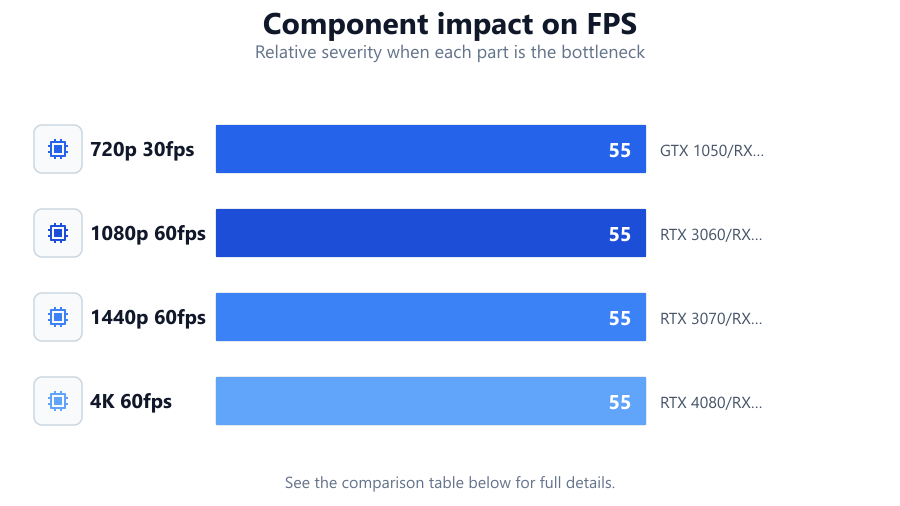
Using the Streaming PC Calculator, you can input your target resolution and frame rate to see exactly what hardware and internet speed you’ll need. This removes uncertainty and helps you prioritize your budget for the biggest performance gains.
Step-by-step
Define Your Streaming Goals
Decide what resolution and frame rate you want to stream at. Higher resolutions and frame rates require more powerful hardware and faster internet. Consider your audience and the platforms you plan to use.
Assess Your Current Hardware
Inventory your CPU, GPU, RAM, and internet speed. Compare these to the requirements for your desired stream quality. Identify the weakest link in your system.
Consult the Streaming PC Calculator
Use the Streaming PC Calculator to input your streaming targets. The tool will recommend the ideal hardware configuration for your goals, removing guesswork from the process.
Prioritize Component Upgrades
Based on the calculator’s suggestions, plan your upgrades. Focus first on the component that will have the biggest impact on stream performance, whether that’s your CPU, GPU, or internet connection.
Test and Fine-Tune Your Setup
After upgrading, run streaming tests. Monitor CPU and GPU usage, dropped frames, and stream quality. Adjust settings as needed for the best balance of game performance and stream quality.
Comparison
| Resolution & FPS | Recommended CPU | Recommended GPU |
|---|---|---|
| 720p 30fps | Quad-core (i3/Ryzen 3) | GTX 1050/RX 560 |
| 1080p 60fps | Hexa-core (i5/Ryzen 5) | RTX 3060/RX 6600 |
| 1440p 60fps | 8-core (i7/Ryzen 7) | RTX 3070/RX 6700 XT |
| 4K 60fps | 8-core+ (i9/Ryzen 9) | RTX 4080/RX 7900 XTX |
Common mistakes
Mistake
Underestimating the importance of CPU cores for streaming
Fix: Choose a CPU with at least 6 cores for 1080p streaming to avoid bottlenecks.
Mistake
Neglecting upload speed
Fix: Test your internet connection and ensure your upload speed meets the platform’s requirements for your target resolution and frame rate.
Mistake
Overinvesting in GPU while ignoring RAM
Fix: Balance your budget across CPU, GPU, and RAM. At least 16GB of RAM is recommended for most streamers.
Troubleshooting
Stream lags or stutters frequently
Likely cause: CPU or GPU is overloaded or outdated
What to do: Lower your stream resolution or frame rate, or upgrade to a more powerful CPU or GPU as recommended by the Streaming PC Calculator.
Viewers complain of blurry or pixelated video
Likely cause: Insufficient upload bandwidth or incorrect bitrate settings
What to do: Increase your upload speed, use a wired connection, and adjust bitrate settings to match your internet capabilities.
Game performance drops significantly while streaming
Likely cause: Insufficient RAM or an unbalanced system
What to do: Upgrade your RAM to at least 16GB, and ensure your hardware meets the recommended specs for both gaming and streaming.
Recommendations
- Use the Streaming PC Calculator before making any hardware purchases.
- Aim for a balanced system: CPU, GPU, RAM, and internet speed all matter for streaming.
- For 1080p 60fps streaming, a 6-core CPU and midrange GPU offer the best value.
- Upgrade your internet connection if your upload speed is below 10 Mbps.
- Test your stream quality after upgrading and adjust settings for optimal performance.
Frequently asked questions
Do I need a separate PC for game streaming?
A single powerful PC is sufficient for most streamers. Dual-PC setups are only needed for professional or extremely high-quality streams.
How much RAM is enough for streaming?
16GB is the minimum recommended for most streaming setups. For 4K streaming or heavy multitasking, 32GB is ideal.
What upload speed do I need for 1080p streaming?
At least 6 Mbps upload is required for 1080p at 60 fps. Higher bitrates or resolutions need more bandwidth.
Can I use Wi-Fi for streaming?
Wired Ethernet is strongly recommended for stable streams. Wi-Fi can introduce latency and packet loss, causing stream interruptions.