
Guide
Common Buying Mistakes
Avoiding common buying mistakes can save you money and frustration when choosing your internet speed. Learn how to get exactly what you need without overpaying or underestimating your requirements.
Updated 2026-07-05
Understanding Common Buying Mistakes in Internet Speed
Choosing the right internet speed for your household can be confusing, especially with so many providers and plans available. Many people fall into the trap of either overestimating or underestimating their actual needs, leading to wasted money or frustratingly slow connections. The first step is to recognize how your internet habits and the number of devices in use can dramatically affect your required speed.
A common buying mistake is relying solely on advertised speeds or package deals without considering the specifics of your situation. For example, a single person working from home may need much less bandwidth than a family streaming 4K video on multiple devices. Overpaying for a high-speed plan you do not need or choosing a budget plan that cannot keep up with your activities are both costly errors.
Another frequent issue is overlooking upload speed, which is crucial for video calls, cloud backups, and gaming. Many buyers focus only on download speed, not realizing that upload speed can be a bottleneck for certain activities. Using a tool like the Internet Speed Calculator can help you accurately estimate the speed you need, tailored to the number of devices and types of online activities in your household.
How to Avoid the Most Common Buying Mistakes
To avoid common buying mistakes, you need to be methodical in your approach to choosing an internet plan. Start by listing every device that will use the connection and the activities that matter most to you, such as streaming, remote work, gaming, or smart home devices. Next, research the real-world speed requirements for each activity, not just the minimum stated by providers.
Many buyers forget to account for simultaneous use. If two people in your home are streaming 4K videos while another is gaming online, your speed requirements multiply quickly. Use the Internet Speed Calculator to model these scenarios and get a realistic minimum Mbps estimate. This prevents you from making the mistake of buying a plan that looks good on paper but fails in practice.
Another tip is to check for hidden limitations in your plan, such as data caps or speed throttling during peak hours. These can impact your experience even if your theoretical speed seems sufficient. Finally, remember to consider your long-term needs. If you expect more devices or smarter home tech in the near future, factor that growth into your decision now to avoid having to upgrade again soon.
Step-by-step
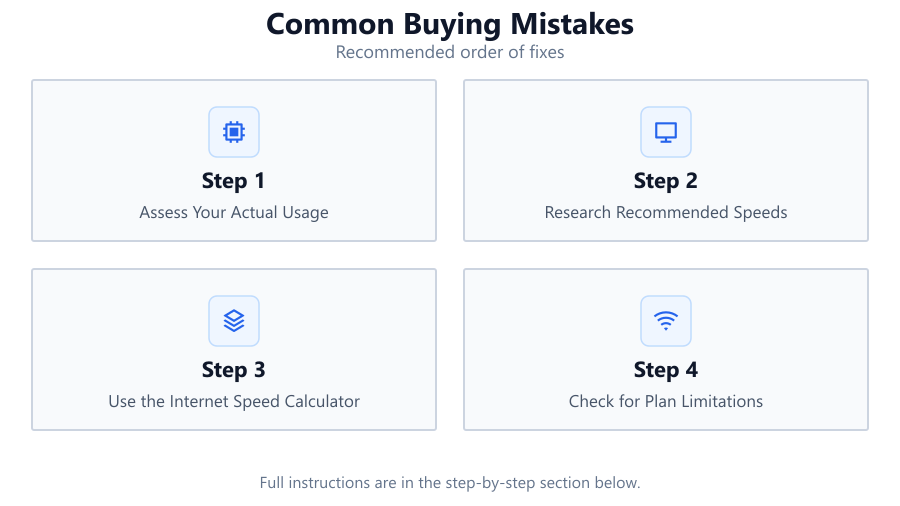
Assess Your Actual Usage
List all devices and activities that will use your internet connection. Include computers, consoles, smart TVs, phones, and IoT devices. Categorize each by the type of activity, such as streaming, gaming, video calling, or browsing. This provides a baseline for your bandwidth needs.
Research Recommended Speeds
Look up the recommended internet speeds for each activity. For example, 4K streaming often requires 25 Mbps per device, while online gaming can need low latency and at least 5 Mbps. Add these values together to estimate your household’s total requirements.
Use the Internet Speed Calculator
Input your devices and activities into the Internet Speed Calculator. The tool will estimate the minimum Mbps needed based on your inputs. This eliminates guesswork and ensures your chosen plan matches your real-world use.
Check for Plan Limitations
Read the fine print for each plan. Watch out for data caps, throttling, or reduced speeds during peak hours. Some providers advertise high speeds but restrict performance after you exceed a certain usage threshold.
Plan for Future Growth
Consider whether your household will add more devices or require more bandwidth in the next year or two. It is often wise to select a plan with a small buffer above your current needs to accommodate future growth.
Comparison
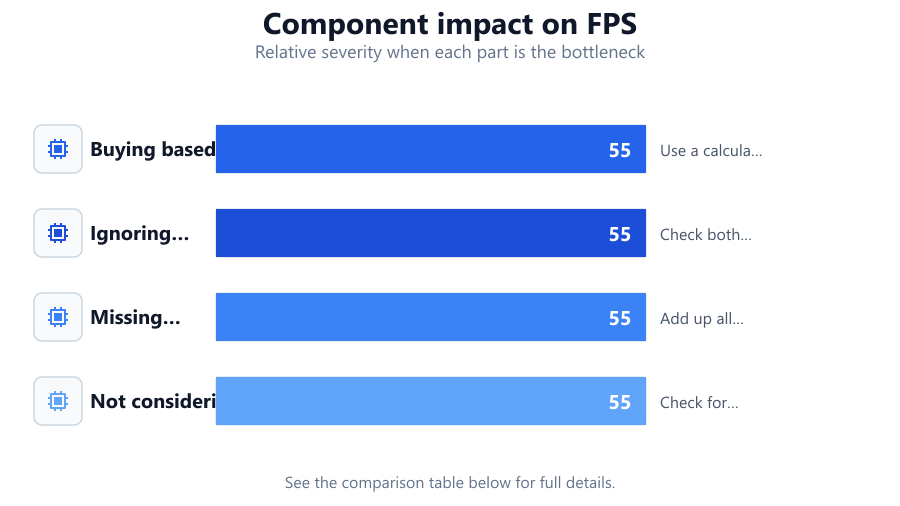
| Mistake | Result | Best Practice |
|---|---|---|
| Buying based on ads | Overpay or underperform | Use a calculator based on real usage |
| Ignoring upload speeds | Poor video calls, slow uploads | Check both upload and download rates |
| Missing simultaneous use | Lag and buffering | Add up all concurrent activities |
| Not considering plan limits | Unexpected slowdowns | Check for caps and throttling |
Common mistakes
Mistake
Relying on advertised speeds instead of real needs
Fix: Use the Internet Speed Calculator to estimate your actual requirements based on devices and usage.
Mistake
Focusing only on download speed
Fix: Check both download and upload speeds to ensure you have enough bandwidth for all activities, especially video calls and gaming.
Mistake
Not accounting for all connected devices
Fix: Count every device, including smart home tech and guests, to avoid underestimating your bandwidth needs.
Mistake
Overlooking provider limitations like data caps
Fix: Review the fine print for hidden restrictions that could affect your experience, even if your speed is theoretically sufficient.
Troubleshooting
Frequent buffering or lag during streaming
Likely cause: Insufficient bandwidth for multiple devices or high-resolution streams
What to do: Recalculate your needs using the Internet Speed Calculator and consider upgrading your plan.
Poor video call quality
Likely cause: Upload speed is too low for stable video conferencing
What to do: Check your plan’s upload speed and upgrade if necessary.
Internet slows down at certain times
Likely cause: Provider throttling or exceeding data cap
What to do: Review your plan details for peak hour throttling or data limits and choose a plan without these restrictions.
Recommendations
- Always use the Internet Speed Calculator before purchasing a plan.
- List all current and potential future devices to avoid underestimating needs.
- Check both upload and download speeds when comparing plans.
- Read the fine print for data caps, throttling, and hidden fees.
- Plan for extra bandwidth if you expect your needs to grow soon.
Frequently asked questions
How do I know what internet speed I actually need?
The best way is to use the Internet Speed Calculator. Enter your number of devices and activities to get an accurate minimum Mbps estimate tailored to your household.
Is it bad to buy more speed than I need?
While extra speed can provide a buffer, overbuying leads to wasted money. Use a calculator to find the right balance for your needs.
Why is upload speed important?
Upload speed affects video calls, gaming, and cloud backups. If you only focus on download speed, you may experience lag or poor quality in these activities.
What happens if my plan has a data cap?
If you exceed your data cap, your provider may throttle your speed or charge extra fees. Always check for data limits before purchasing a plan.