
Guide
Optimization Guide
Struggling to figure out the right internet speed for your household? This optimization guide shows you how to use the Internet Speed Calculator to maximize your online experience.
Updated 2026-07-05
Understanding Internet Speed Optimization
Choosing the right internet speed is essential for a seamless online experience. Whether you are working remotely, gaming competitively, or streaming 4K video, your connection needs can vary greatly. Many households overpay for bandwidth they do not need, while others struggle with slow speeds because they underestimate their requirements.
The Internet Speed Calculator helps you estimate your actual needs by considering the number of devices and activities in your home. This tailored approach is the first step toward optimizing your internet setup and eliminating frustration from buffering or lag.
With a clear understanding of your household’s demands, you can make informed decisions about your internet service plan. Optimization involves more than just upgrading your package. It requires a thoughtful assessment of usage patterns, device types, and simultaneous activities. Following this optimization guide will help you strike the right balance between speed, reliability, and cost.
By the end of this guide, you will know how to use the Internet Speed Calculator effectively, interpret its results, and implement actionable strategies to enhance every aspect of your digital life.
How to Optimize Internet Speed for Every Activity
Optimizing your internet speed starts with identifying what activities matter most. Gaming, streaming, video conferencing, and file downloads all have distinct requirements. For example, online gaming needs consistent low latency, while streaming 4K content demands high downstream bandwidth.
Begin by listing the devices and activities in your household. Include computers, smart TVs, phones, tablets, consoles, and IoT devices. Note which activities often run at the same time, such as kids streaming cartoons while you attend a Zoom call. Input these details into the Internet Speed Calculator to get a personalized Mbps estimate.
Once you have your baseline, assess your current setup. Are you using WiFi or Ethernet? Is your router outdated? WiFi congestion, old hardware, and signal interference can all degrade your effective speeds. Position your router centrally, update its firmware, and consider using mesh networks for larger spaces.
If you experience persistent buffering, lag, or dropped calls, check if your provider delivers the speeds promised. Use online speed tests at different times of day. If your actual speeds are consistently lower than what you pay for, contact your ISP. Sometimes, simple fixes like changing WiFi channels or upgrading your plan based on the Internet Speed Calculator’s recommendations can make a dramatic difference.
Finally, regularly revisit your optimization strategies. As your household adds more devices or new online habits emerge, your speed requirements can change. The Internet Speed Calculator remains a valuable tool for ongoing optimization.
Step-by-step
Inventory Your Devices and Activities
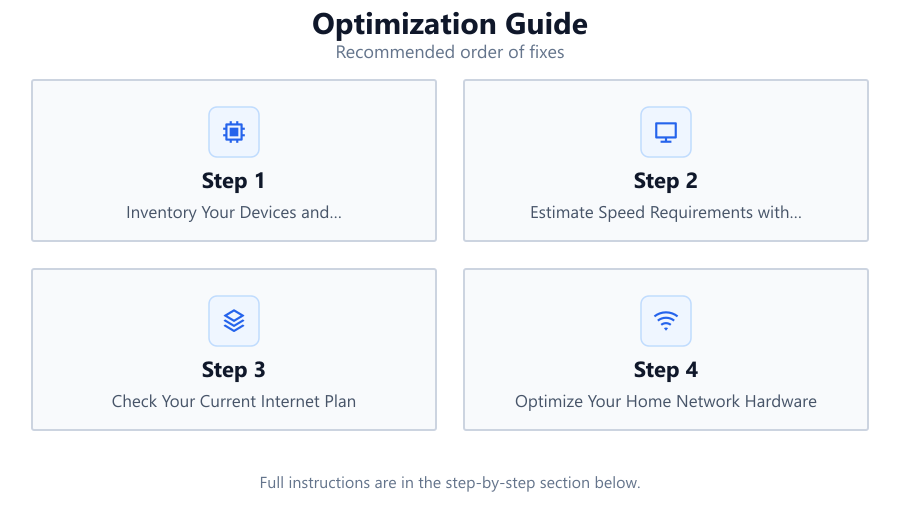
Write down every device that connects to your network and the primary activities each device performs. Include computers, phones, smart TVs, gaming consoles, and smart home gadgets. Note any activities that often happen simultaneously, such as multiple video streams or online gaming sessions.
Estimate Speed Requirements with the Internet Speed Calculator
Visit the Internet Speed Calculator and input your device and activity data. The tool will estimate your minimum required Mbps based on real-world usage patterns. This ensures you do not overpay for unnecessary speed or suffer from slowdowns during peak activity.
Check Your Current Internet Plan
Compare your calculator results to your current internet plan. Is your plan sufficient, or are you paying for more than you need? If your plan falls short, consider upgrading. If it exceeds your needs, you may be able to save money by downgrading.
Optimize Your Home Network Hardware
Ensure your router is up to date and supports modern WiFi standards. Place it in a central location, away from obstructions. For larger homes, consider mesh networking or WiFi extenders. Use Ethernet for devices that require the most stable connection, such as gaming PCs or workstations.
Monitor and Adjust Regularly
Regularly check your internet speeds using online speed tests. Revisit the Internet Speed Calculator if you add new devices or start new activities. Adjust your plan or hardware as your household’s needs evolve.
Comparison
| Activity | Recommended Speed (Mbps) | Notes |
|---|---|---|
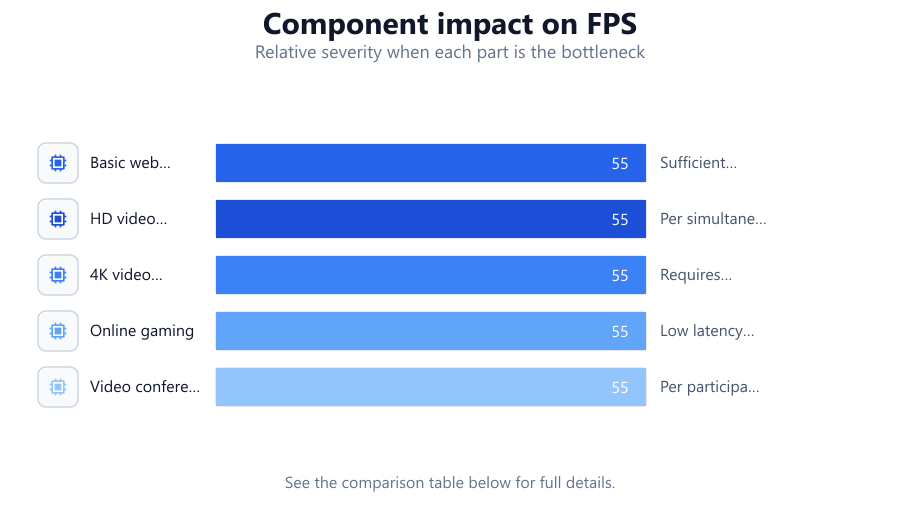
| Basic web browsing | 1-5 | Sufficient for emails and social media |
| HD video streaming | 5-10 | Per simultaneous stream |
| 4K video streaming | 25+ | Requires fast and stable connection |
| Online gaming | 3-6 | Low latency more important than speed |
| Video conferencing | 2-8 | Per participant, higher for HD calls |
Common mistakes
Mistake
Underestimating the number of active devices
Fix: Inventory all devices, including smart home gadgets, and consider peak usage times.
Mistake
Focusing only on download speed and ignoring upload speed
Fix: Check both download and upload speeds, especially for remote work or live streaming.
Mistake
Neglecting to update router firmware
Fix: Regularly check for and apply firmware updates to your router for security and performance improvements.
Mistake
Ignoring WiFi signal interference from other electronics
Fix: Place your router away from microwaves, cordless phones, and thick walls to minimize interference.
Troubleshooting
Frequent buffering during video streams
Likely cause: Insufficient bandwidth or WiFi congestion
What to do: Use the Internet Speed Calculator to verify your speed needs. Try reducing simultaneous streams or upgrading your plan.
Lag spikes during online gaming
Likely cause: High latency or network congestion
What to do: Connect gaming devices via Ethernet and limit background downloads. Optimize your router settings for gaming.
Dropped connections on video calls
Likely cause: Weak WiFi signal or outdated hardware
What to do: Move closer to the router, upgrade your hardware if necessary, and ensure firmware is updated.
Recommendations
- Use the Internet Speed Calculator to get an accurate estimate of your household's speed needs.
- Upgrade your router if it is more than five years old to benefit from the latest wireless standards.
- Connect stationary devices such as desktop PCs or consoles using Ethernet for a more stable connection.
- Schedule heavy downloads and updates during off-peak hours to avoid network congestion.
- Regularly review your internet plan and adjust as your household's needs change.
Frequently asked questions
How do I know if my internet speed is fast enough?
Compare your current speed to the recommendations provided by the Internet Speed Calculator. If you experience buffering, lag, or slow downloads, your speed may be insufficient for your usage.
Does the number of devices affect my required speed?
Yes. The more devices connected and active at the same time, the more bandwidth you need. Use the Internet Speed Calculator to account for all devices in your household.
What is the difference between upload and download speed?
Download speed affects how fast you receive data, such as streaming or browsing. Upload speed affects how fast you send data, which is important for video calls, uploading files, or live streaming.
How often should I reassess my internet speed needs?
Reevaluate your needs whenever you add new devices, change your usage patterns, or notice performance issues. The Internet Speed Calculator can help you stay up to date.