Solo gamer with streaming
- 1 user gaming (PC, RTX 4070)
- 3 Mbps download, 1 Mbps upload
- 1 user streaming 4K Netflix
- 25 Mbps download
- Result
- 28 Mbps download, 1 Mbps upload

FREE INTERNET SPEED CALCULATOR
Not sure how much internet speed you actually need for gaming, streaming, or remote work? The internet speed calculator estimates the minimum Mbps required based on the devices and activities in your household.
Select use cases, then calculate
The internet speed calculator helps you pinpoint the bandwidth your home or office needs for smooth streaming, gaming, video calls, and downloads. By entering the number of users and their typical online activities, the tool aggregates the recommended internet speed in megabits per second (Mbps). This cuts through the marketing fluff from ISPs and gives you a number based on real-world usage, not generic averages.
Whether you're running a gaming PC with an RTX 4070, streaming 4K Netflix on a Samsung QLED, or juggling Zoom meetings on a Ryzen 7 7800X3D laptop, the calculator factors in simultaneous demands. It provides a clear Mbps recommendation, so you can compare plans or troubleshoot slowdowns.
Using the internet speed calculator is straightforward. First, select the number of people in your household or workspace. Next, indicate which activities each person typically does - like UHD streaming, online gaming, large downloads, or video conferencing. The calculator automatically assigns a typical Mbps value to each activity and multiplies it by the number of concurrent users.
If you have unique needs, such as a Plex media server or cloud backups, include them in the custom fields. Once all activities are entered, the calculator instantly outputs the total recommended download and upload speeds. You can adjust the numbers to see the impact on overall speed requirements.
The internet speed calculator uses published bandwidth requirements from major platforms (Netflix, Steam, Zoom, Xbox Live) and hardware manufacturers. Each activity has a baseline Mbps value:
Formula: For each activity, Mbps per user x number of users = subtotal. Add all subtotals for the total recommended download speed. For upload, the calculator sums only activities requiring significant upload bandwidth (video calls, cloud backup, gaming uploads).
The calculator assumes all listed activities could happen at once. For typical households, this is a safe upper bound. Adjust as needed if some activities rarely overlap.
The calculator's output is a recommended minimum download and upload speed, measured in Mbps. This is the combined bandwidth needed for lag-free performance, even with multiple users online. If your ISP plan matches or exceeds this number, you should avoid bottlenecks during peak use.
Results are based on maximum simultaneous usage. If you stagger high-bandwidth activities, you may get by with less. However, most modern homes have TVs, consoles, PCs, and smart devices all active at once.
For stability, always round up and factor in at least 20 percent headroom. Wi-Fi interference, network congestion, and ISP throttling can all reduce real-world speeds.
4K streaming on a single TV needs 25 Mbps. Add another 25 Mbps for each additional 4K stream. 1080p typically requires 5 Mbps per stream. Smart TVs and streaming sticks like Roku or Fire TV perform best with a wired Ethernet connection if possible.
Most modern games (Call of Duty, Fortnite, Apex Legends) need 3 Mbps down and 1 Mbps up per player. Latency matters more than bandwidth for gaming, but if multiple players or streamers are in the house, aggregate their requirements.
Video calls via Zoom or Teams in HD need 2-3 Mbps both ways. Upload speed is vital for screen sharing and webcam feeds. If you regularly transfer large files (for example, video editing or cloud backups), factor in at least 10 Mbps upload.
Game downloads on Steam or Xbox Game Pass can saturate your connection. Downloading a 100GB game at 50 Mbps takes about 4.5 hours. If you want faster downloads, choose a higher tier from your ISP.
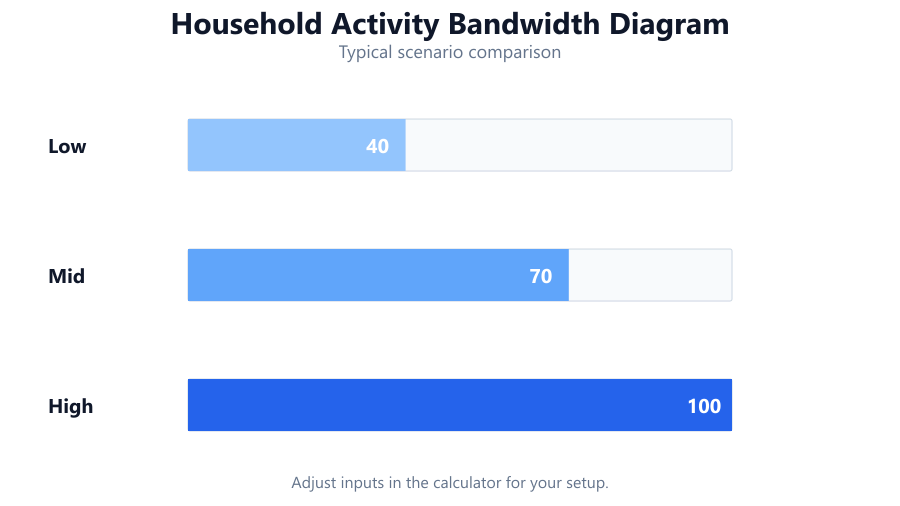
Devices like smart cameras, thermostats, and speakers use little bandwidth individually, but dozens of connected devices can add up, especially if cameras are set to upload HD footage to the cloud.
Always add 20 percent to the calculator's result for network overhead, unexpected guests, or firmware updates running in the background. ISP speeds are often 'up to' a certain rate and can dip during peak hours.
Most ISPs advertise download speed, but upload speed is critical for video calls, live streaming, and cloud backups. Don't ignore it - especially if you work from home or use security cameras.
Even if your plan matches the calculator's number, old routers or weak Wi-Fi signal can bottleneck your network. Use gigabit Ethernet for gaming PCs, NAS devices, or 4K streaming where possible.
If two people rarely stream 4K at the same time, enter just one. The calculator assumes worst-case (everything at once).
The internet speed calculator takes the guesswork out of choosing the right plan. By adding up the real bandwidth needs of your household or office, you get a concrete Mbps number tailored to your devices and activities. This helps prevent buffering, dropped calls, and slow downloads.
If your network still feels slow after matching the calculator's recommendation, consider upgrading your router, using wired connections, or contacting your ISP about congestion. Accurate Mbps recommendations are only as good as your local network quality and the consistency of your ISP's delivery.
For most homes, 100 Mbps download and 10 Mbps upload is enough for 4-5 active users with mixed use. Heavy streamers, gamers, or home offices may need more. Revisit the calculator if your usage changes.
A typical family of four needs between 50 and 150 Mbps download speed, depending on activities. If two people stream 4K video while others game or join video calls, aim for 100 Mbps or more. For basic web browsing and 1080p streaming, 50 Mbps may suffice. Always check upload speeds if you work from home or use cloud backup.
4K streaming requires about 25 Mbps per stream. If you have two TVs playing 4K Netflix or YouTube at the same time, you'll need at least 50 Mbps. Add 5-10 Mbps extra for other background activities or devices. For three 4K streams, 75 Mbps is a safe target.
Yes, 100 Mbps is usually enough for online gaming and one or two simultaneous HD or 4K streams. Online gaming uses 3 - 5 Mbps per player, and 4K streaming needs 25 Mbps. If you download large games or stream to Twitch, consider a higher plan with better upload speed.
If you notice buffering on multiple devices, lag during video calls, or game downloads taking hours, you may be hitting your bandwidth cap. Compare your actual usage (total Mbps needed) to your ISP plan. Use the calculator to sum up all active streams, calls, and downloads running at the same time.
For HD video calls, Zoom recommends at least 3 Mbps upload per user. For group calls or webinars, 5 Mbps per person is safer. If you share your connection with others uploading files or streaming, add their needs to your total upload bandwidth.
You can stream and game at the same time if your download speed is at least 30 Mbps and upload is 5 Mbps or higher. Gaming itself needs little bandwidth, but live streaming (to Twitch or YouTube) can use 5 - 10 Mbps upload, especially at 1080p or higher. Wired connections help reduce lag.
The calculator adds up the Mbps requirements for each activity (streaming, gaming, video calls, downloads) and multiplies by the number of users or devices. It then sums these to recommend a total download and upload speed. The logic is based on real-world bandwidth needs from major services and hardware specs.
Mbps stands for megabits per second, a measure of internet speed. MBps is megabytes per second, a measure of file transfer size. 1 byte = 8 bits, so 100 Mbps equals 12.5 MBps when downloading files. ISPs always advertise Mbps.
Most smart home devices (lights, thermostats, sensors) use very little bandwidth. However, security cameras uploading HD video can use 2 - 4 Mbps each, especially if footage is saved to the cloud. Add their upload needs to your total if you have several cameras running.
Download speed affects how long it takes to get large files, but not whether the download will complete. A 100 GB game will take about 2.2 hours on a 100 Mbps connection. If you want faster downloads, look for 200 Mbps or higher. For most activities, 50 - 100 Mbps is plenty, but big game releases can saturate slower connections.
Wi-Fi can be much slower than your advertised plan due to interference, distance from the router, or outdated hardware. Walls, microwaves, and other devices can all cause drops. For critical devices like gaming PCs or smart TVs, use wired Ethernet if possible to get the full speed from your ISP.
Fiber offers higher speeds, symmetrical upload/download rates, and lower latency compared to cable or DSL. This makes it ideal for gaming, streaming, and remote work, especially if multiple users are active. You’ll notice smoother performance and faster uploads for cloud storage or live streaming.
If local ISPs don't offer a plan matching your calculated bandwidth, prioritize activities - limit simultaneous 4K streams, schedule large downloads during off-hours, or upgrade your hardware for better efficiency. Some rural areas may have to rely on satellite or 5G home internet, which can have higher latency and lower speeds.
Recalculate whenever your household or usage changes - like adding a new 4K TV, a gaming console, or more remote work. Streaming and online gaming requirements rise every year, so checking your needs annually or after big changes keeps your connection future-proof.
Yes, the calculator can be used for small businesses or offices. Enter the number of employees and their typical tasks (video calls, cloud apps, large downloads). For larger offices, consider network management tools and dedicated business plans with higher upload speeds and SLAs.
ISPs advertise 'up to' speeds because real-world performance varies due to network congestion, distance from the exchange, and local infrastructure. Your actual speeds may be 10 - 30 percent lower than advertised during peak hours. Always choose a plan with extra headroom above your calculated needs.
Free tools to analyze, compare, and optimize your PC gaming performance
Check if your PC meets the requirements for these popular games
Benchmark data from PassMark and publisher specs. Calculators run locally in your browser — we never upload your hardware info.